How warmup sets work
LiftTrack calculates warmup sets as percentages of your working weight and keeps them apart from working sets in your stats and progressions.
On this page
- How does LiftTrack calculate warmup weights?
- Warmup Settings options
- Why don’t warmup sets follow your working weight?
- How do you add a single warmup set?
- How do warmup sets show up on your phone and your Garmin?
- Do warmup sets count toward your stats?
- What does the Warmup switch do?
- What you can change
A warmup set is a set marked W that comes before the working sets of an exercise. Add Warmup Sets builds a ramp from the weight of your first working set, and you can also add a single warmup set by hand. LiftTrack treats warmup sets as preparation: they get their own rest, and they stay out of your set counts, volume and progressions.
How does LiftTrack calculate warmup weights?
LiftTrack multiplies the weight of the first working set by each percentage in the ramp, then rounds to your Weight Rounding increment. The default ramp is 40% × 5, 60% × 5, 80% × 3.
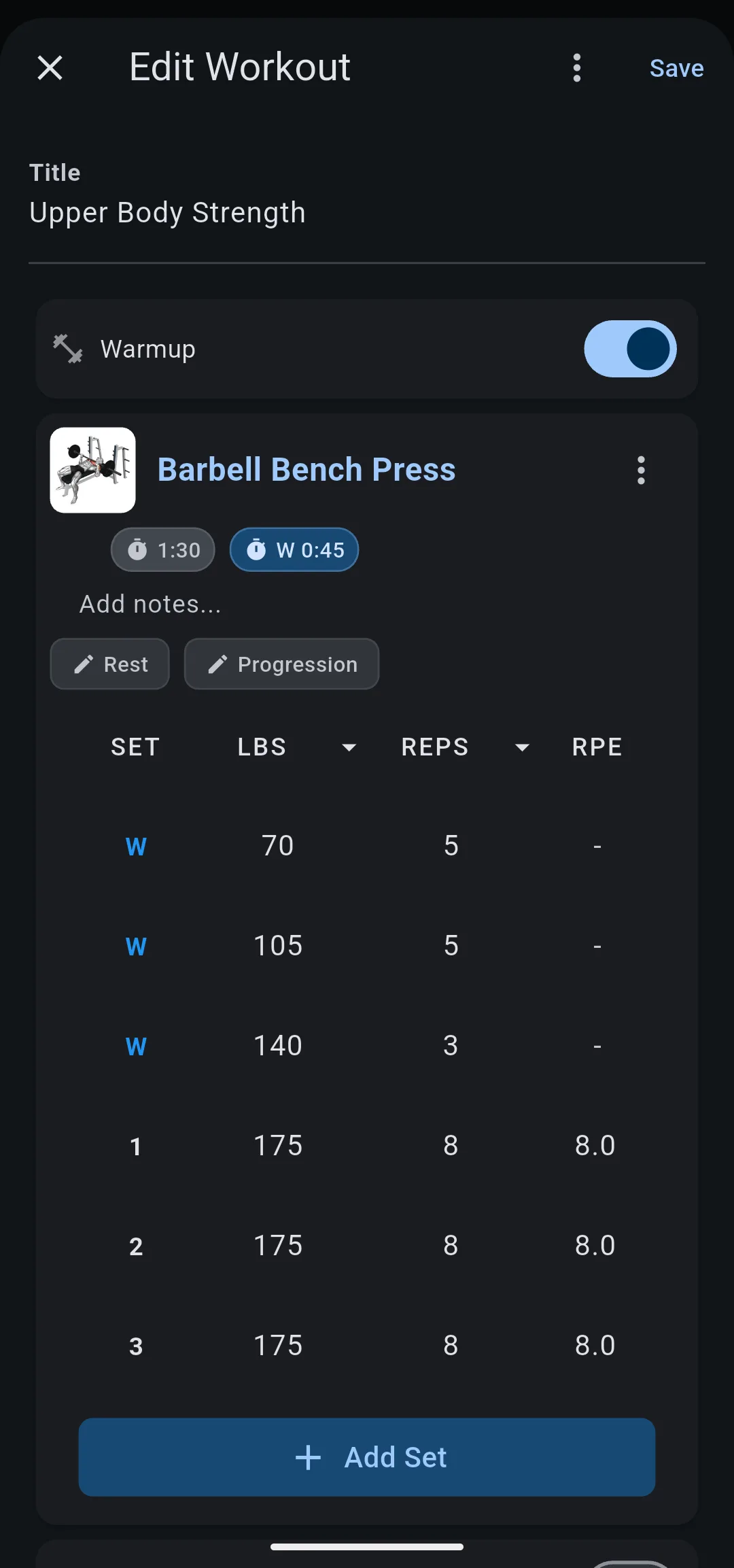
For example, Barbell Bench Press has 3 working sets of 175 lbs × 8. Add Warmup Sets adds 70 × 5, 105 × 5 and 140 × 3 before them. With 185 lbs and rounding to 5 lbs, the same ramp gives 75, 110 and 150.
In kilograms, the default rounding is 2.5 kg. A working weight of 80 kg gives warmup sets of 32.5 kg, 47.5 kg and 65 kg.
Add Warmup Sets replaces any warmup sets the exercise already has. It needs a working set with a weight greater than 0; without one, the app asks you to add a working set first.
Warmup Settings options
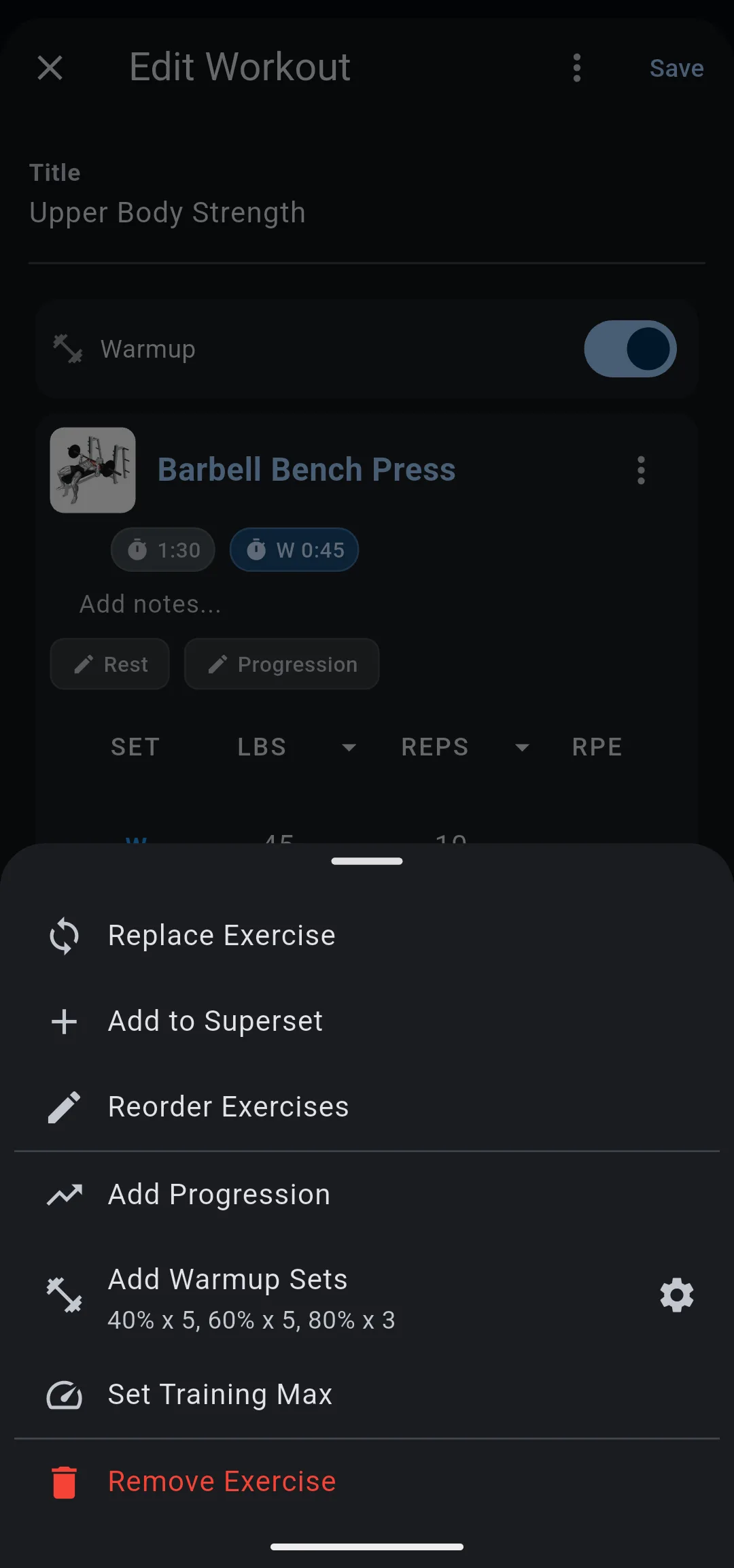
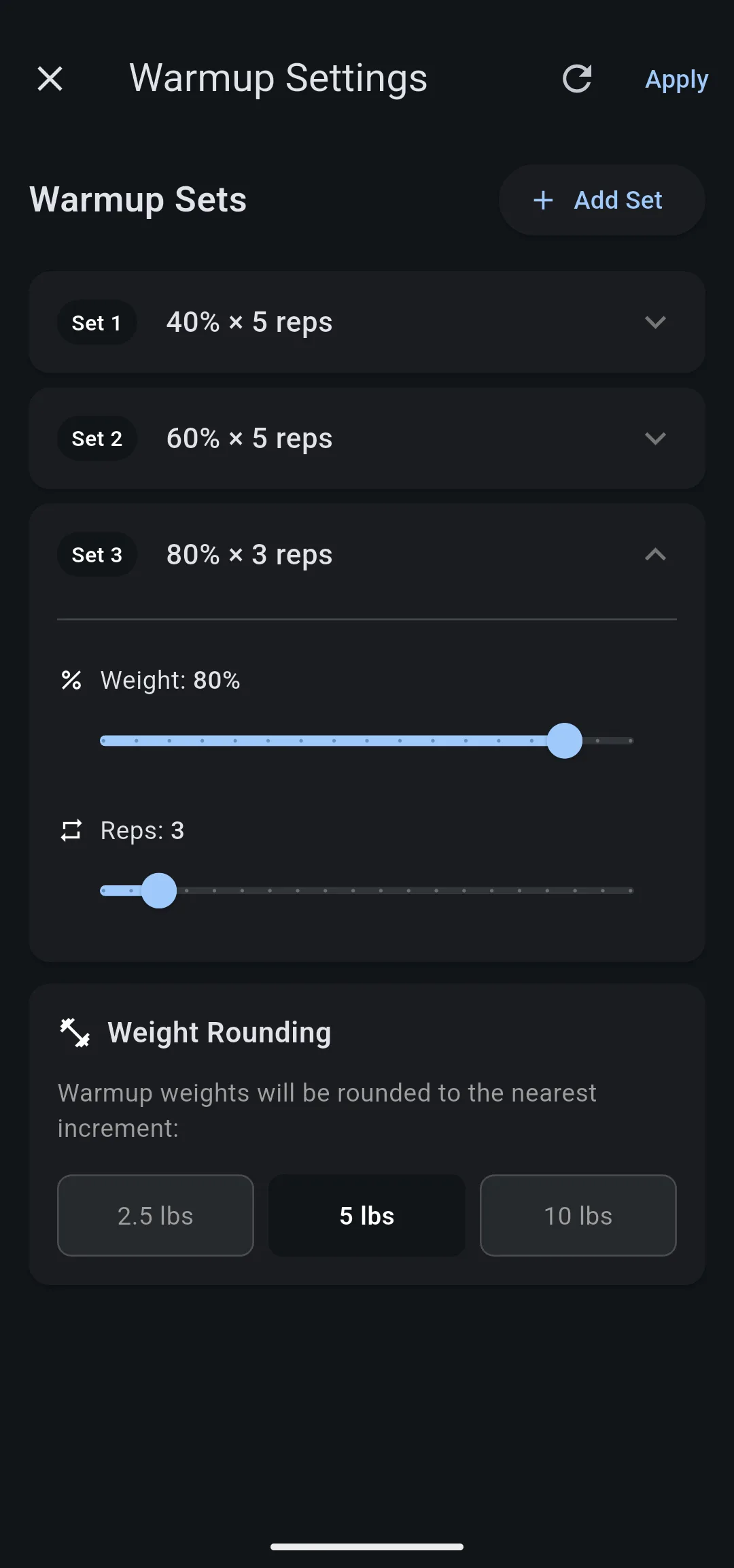
The settings icon next to Add Warmup Sets opens Warmup Settings. Apply saves the ramp and adds the warmup sets to that exercise in one go.
| Option | Range | Default |
|---|---|---|
| Warmup sets in the ramp | 1 to 5 | 3 |
| Weight of each set | 10% to 90% of the working weight, in steps of 5% | 40%, 60%, 80% |
| Reps of each set | 1 to 20 | 5, 5, 3 |
| Weight Rounding | 1 kg, 2.5 kg or 5 kg; 2.5 lbs, 5 lbs or 10 lbs | 2.5 kg or 5 lbs |
Swipe a set to the left to delete it; the last set cannot be deleted. The refresh icon sets the ramp back to 40% × 5, 60% × 5, 80% × 3.
The ramp you set applies to every exercise while the workout editor is open. The next time you open the editor, the ramp starts from the default again. Warmup sets you already added stay in the workout as they are.
Why don’t warmup sets follow your working weight?
Warmup sets are ordinary sets with a fixed weight, calculated once when you add them. After that, a change to the working weight does not move them, and a progression raises only the working sets.
The trade off is control over automation. You can edit any warmup set by hand, for example to start from the empty bar, and nothing overwrites it. When your working weight has moved far from the ramp, tap Add Warmup Sets again to recalculate it from the new weight.
How do you add a single warmup set?
Touch and hold Add Set under an exercise, then choose Warmup Set. The new set goes after the last warmup set and copies its weight and reps, if the exercise has one.
To turn an existing set into a warmup set, tap its number in the SET column and choose WARMUP. The set moves up to join the other warmup sets.
Warmup sets are available only for exercises with reps, not for timed exercises, and not for exercises using % of TM. On those, Add Warmup Sets reads Unavailable for timed sets or Unavailable with % of TM.
How do warmup sets show up on your phone and your Garmin?
In the workout editor, on the workout screen and while you track on your phone, each warmup set shows a blue W where the set number would be. Working sets are numbered from 1, so warmup sets never shift the numbering.
LiftTrack sends warmup sets to your Garmin as warmup steps, ahead of the working sets of the same exercise. After each warmup set, the warmup rest of the exercise runs, which the rest timer shows as the W chip on the exercise card.
Do warmup sets count toward your stats?
No. Warmup sets are left out of the sets and volume on the Progress tab.
The Training screen leaves them out of muscle training load too. A progression also decides whether you hit your target from the working sets only, so a light warmup never holds back the next weight increase.
What does the Warmup switch do?
The Warmup switch in the workout editor adds one open warmup step at the start of the workout on your Garmin. The watch stays on that step until you press Lap, which suits a general warmup such as a few minutes on a bike. The step counts toward the watch limit of 100 steps.
The Warmup switch does not add warmup sets to any exercise, and it changes nothing when you track on your phone.
What you can change
- Build a workout: add sets to an exercise, including a single warmup set.
- How the rest timer works: tap Rest on an exercise card to choose the rest after warmup sets.
- How progressions work: what raises your working weight between sessions.


