Fix Premium access after a purchase
What to check when you bought Premium but LiftTrack still shows Upgrade to Premium or keeps features locked, most likely fix first.
On this page
When you paid for Premium and LiftTrack still treats you as a free user, the app usually has not checked your purchase since you bought it. The next most common cause is being logged in to a different LiftTrack account than the one you bought it with.
- You are logged in to the LiftTrack account you used when you bought Premium.
- The Account section of the Profile tab shows Manage Subscription, not Upgrade to Premium.
- Premium features such as Max, the coach inside LiftTrack open without asking you to upgrade.
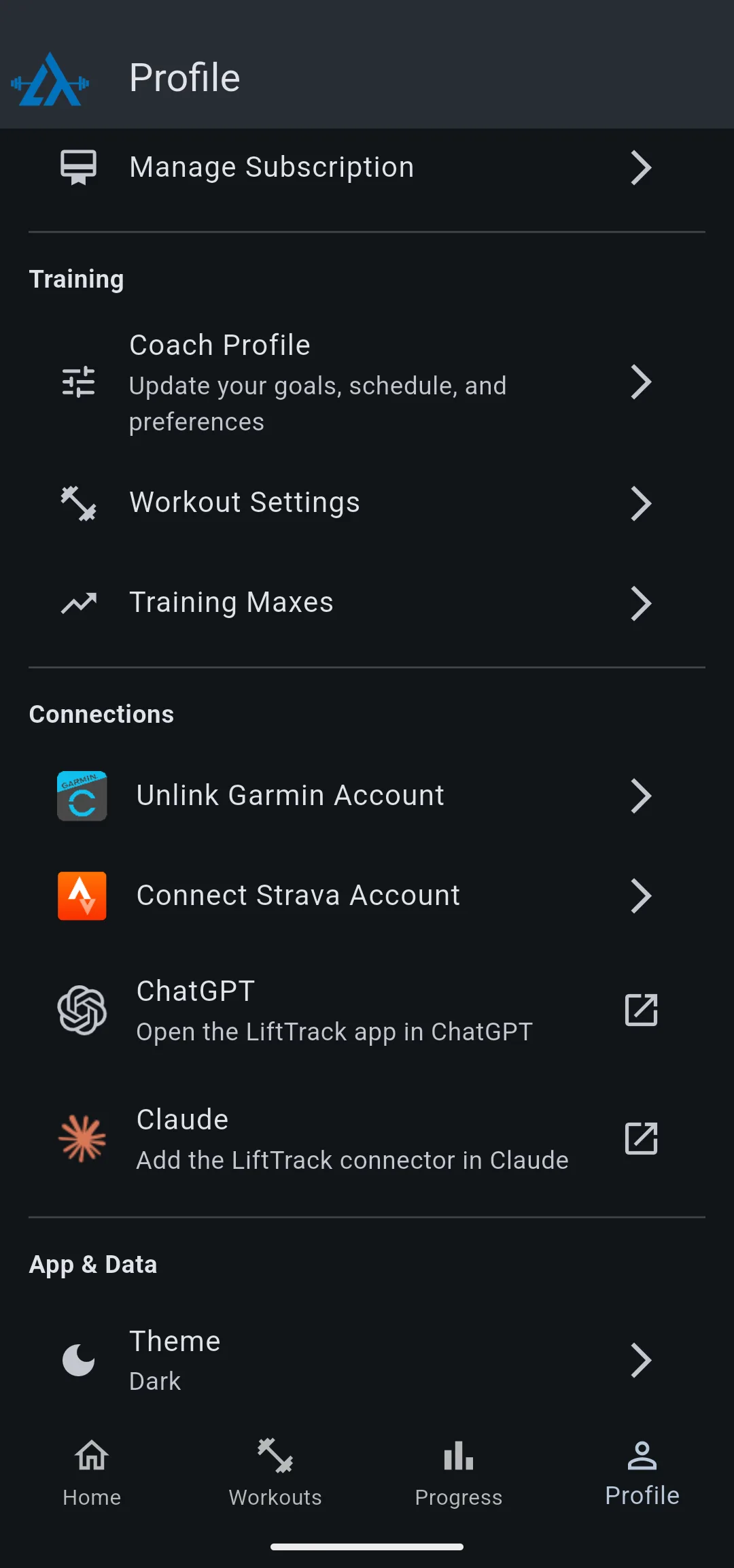
If Profile still shows Upgrade to Premium right after buying
LiftTrack checks your Premium status with the App Store or Google Play each time the app starts. A check that runs without an internet connection falls back to the last status LiftTrack saw, which is the free plan if you bought Premium since then.
- Make sure your phone is online.
- Close LiftTrack completely, then open it again.
- Go to ProfileAccount and check the row under your email.
The row reads Manage Subscription once LiftTrack confirms the purchase.
If you have more than one LiftTrack account
Premium belongs to the LiftTrack account you were logged in to when you bought it, not to your phone. Another LiftTrack account on the same phone stays on the free plan.
- On the Profile tab, tap Log Out, the row that shows your email.
- Tap Log Out again to confirm.
- Log in with the email of the account you bought Premium with.
The Account section shows Manage Subscription once you are in the right account.
If you bought Premium on another phone
Premium follows your LiftTrack account to any iPhone or Android phone, including one that uses the other store.
- Install LiftTrack on the new phone.
- Log in with the same LiftTrack account you bought Premium with.
- If the Profile tab still shows Upgrade to Premium, close LiftTrack completely and open it again.
To see how Premium moves between phones and where it is billed, see manage your subscription.
If the purchase went through but the row did not change
The purchase can finish in the store while LiftTrack is closed or offline. Restoring asks the store for the purchases made with the Apple ID or Google account on this phone.
- On the Profile tab, tap Upgrade to Premium. The Premium screen opens.
- Use the restore option on the Premium screen. Do not buy the plan a second time.
- Close the Premium screen.
When the store confirms the purchase, the row on the Profile tab changes to Manage Subscription.
If none of these fixed it
Contact support with the email you log in to LiftTrack with, the store you paid through (App Store or Google Play), and the purchase date from your receipt.


