Log a workout you already completed
Mark a scheduled workout as done from its card on the Home tab when you trained without tracking, and save it to your History with its planned sets.
On this page
Use this when you did a workout but did not track it on your phone or record it on your Garmin. LiftTrack saves the session with the sets the workout planned, and you correct anything that went differently in the review.
Before you start
- A workout scheduled on the day you trained, today or earlier. The workout can be scheduled once, repeat on your weekly routine, or come from a program.
Log the workout
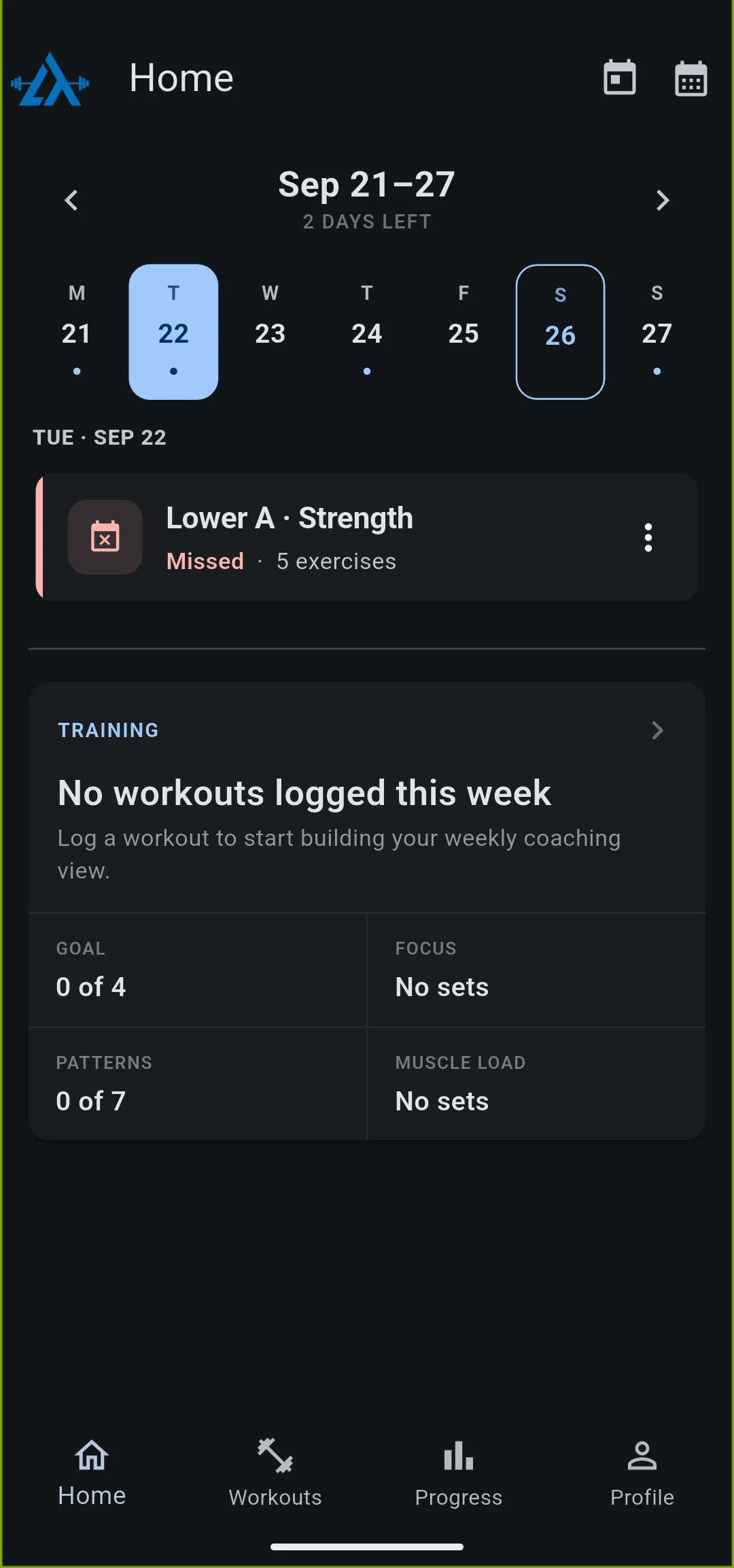
- On the Home tab, tap the day you trained. To reach an earlier week, tap the arrow next to the week’s dates. A workout on a past day reads Missed.
- On the workout’s card, tap the options icon.
- Tap Log completed workout.
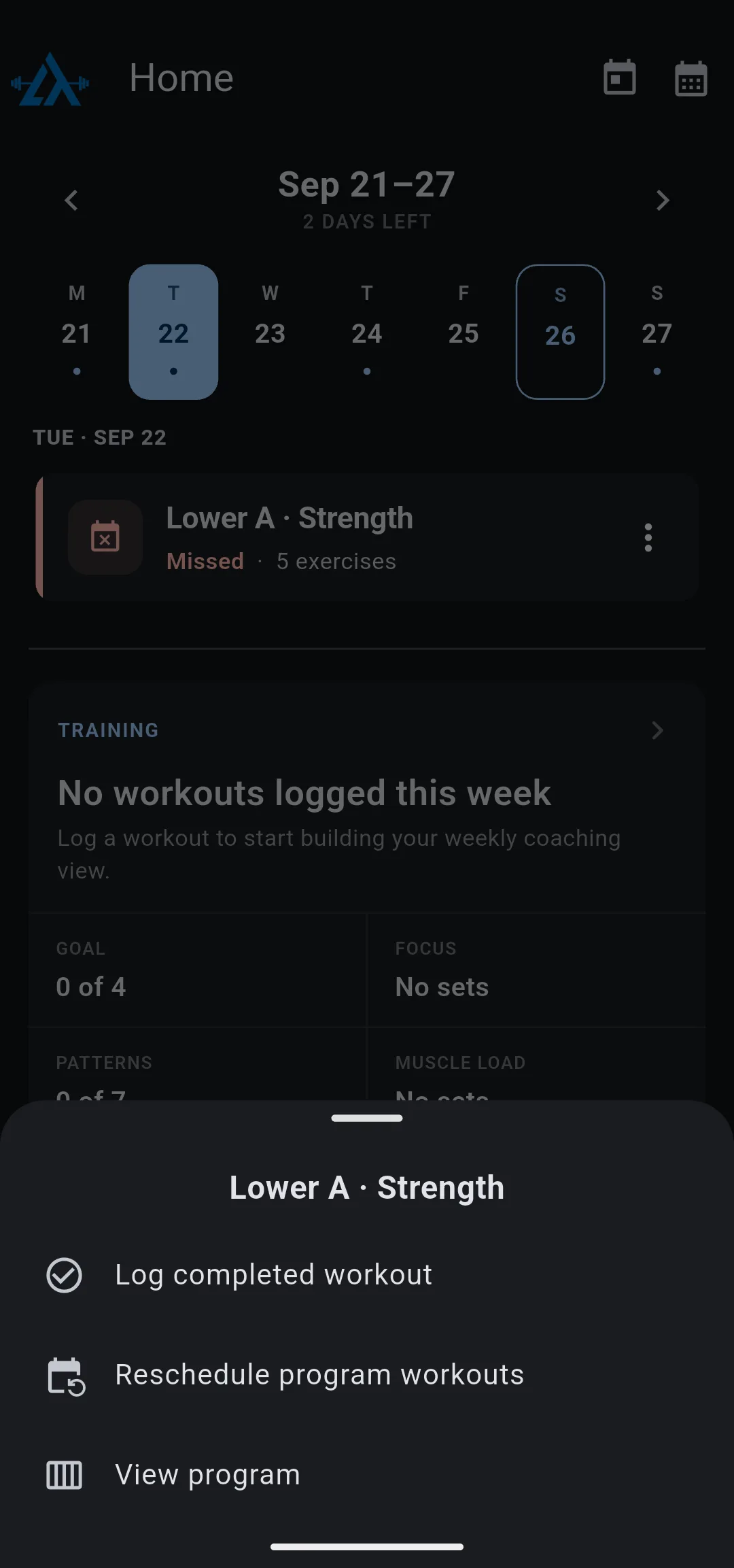
- In Workout duration, move the slider to how long you trained. It starts at 60 minutes and goes from 5 to 180 minutes in steps of 5.
- Tap Mark Completed. Workout Complete opens.
You can also tap the workout’s card to open it, then tap the options icon on the workout screen and tap Log completed workout.
The session gets the date of the day you chose and the current time of day. It saves to LiftTrack only; nothing goes to Garmin Connect.
Correct the sets in the review
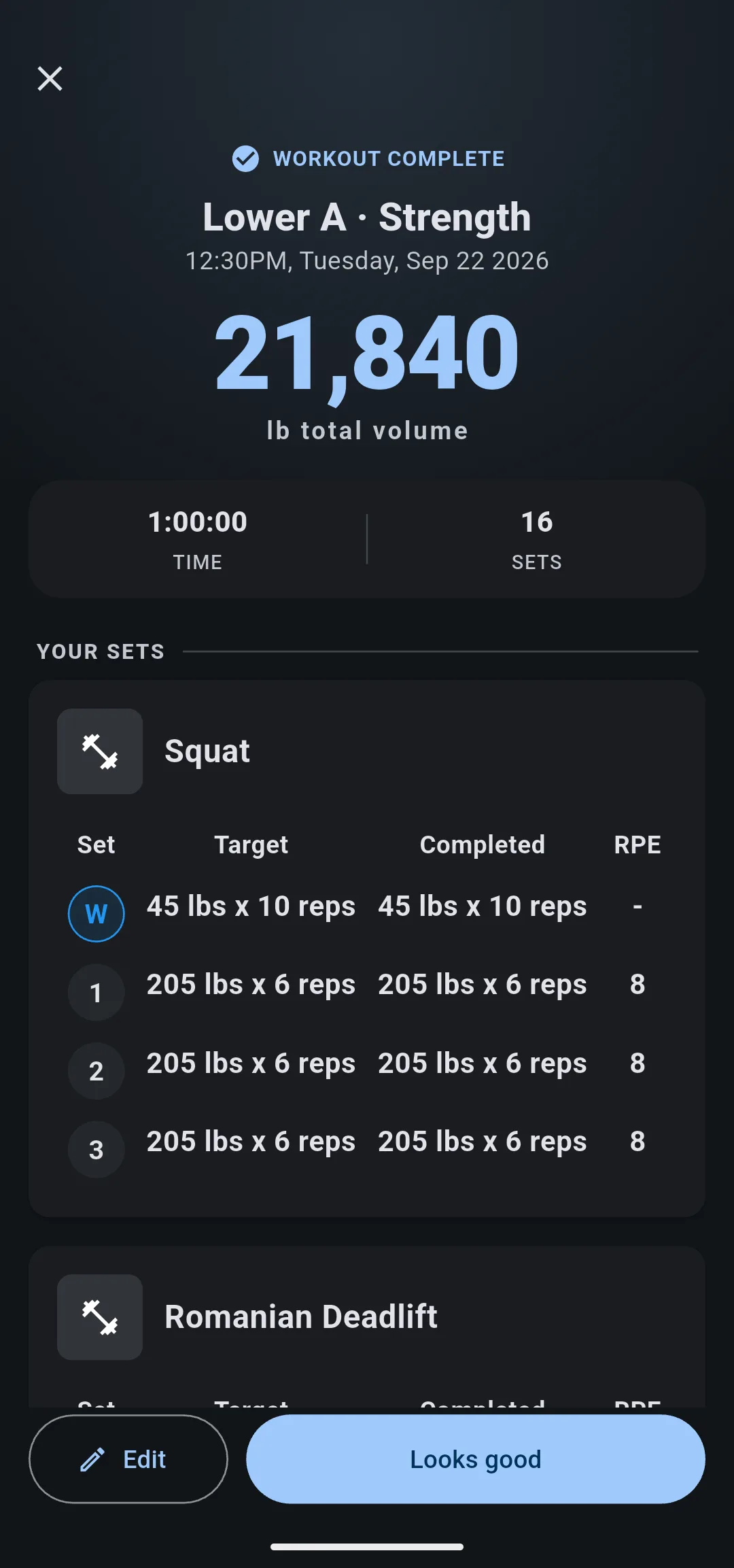
The logged session copies every set the workout planned: weight, reps and RPE. Exercises with no sets are left out. On Workout Complete, Target and Completed start out the same.
- Under Your Sets, check each exercise against what you did.
- Optional: to change a weight, a rep count or a set, tap Edit, make the changes, then tap Save.
- Tap Looks good and choose what changes next time.
To learn what each step of the review does, see how to review a completed workout.
If the workout is not on your calendar
Log completed workout shows only on a scheduled workout, on today or a past day. A future day does not offer it.
If you trained today with a workout that was not scheduled, schedule it for today first: open the workout, tap Schedule, tap Schedule once and choose today. Then log it from its card on the Home tab. A past day cannot be scheduled, so a workout that was not on your calendar that day cannot be logged afterwards.
See the logged session
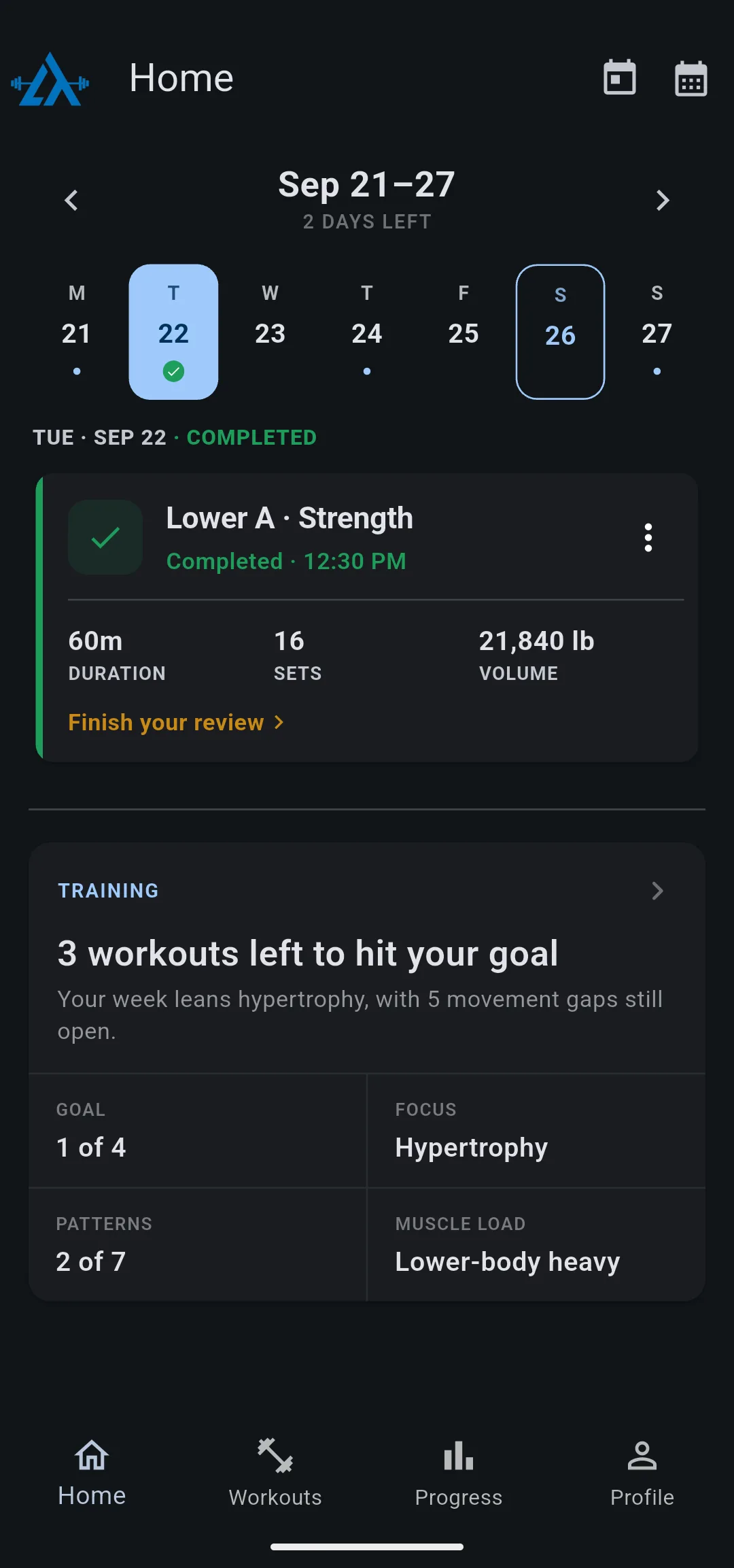
After the review, the day’s card on the Home tab reads Completed with the time, and shows the duration, sets and volume. The day has a check under its date. If you closed the review early, the card reads Finish your review.
The session is in your History with every other workout you did. To record your sets as you lift next time, see how to track a workout on your phone.


