How programs and routines work
A program is a plan with a start and an end, and a routine is a weekly schedule that repeats. Both put workouts on your calendar in different ways.
On this page
When you start a program, LiftTrack puts every one of its workouts on a date right away, from the first week to the last. A routine never ends, so LiftTrack keeps only its next 7 days on the calendar and adds one more day each night.
What is the difference between a program and a routine?
A program runs for a set number of weeks, and each week can hold different workouts. A routine is the same week, or a short cycle of weeks, repeating until you change it.
| Program | Routine | |
|---|---|---|
| Length | A set number of weeks, then it finishes | Repeats with no end |
| Weeks | Each week has its own workouts | 1 week, or a cycle of weeks |
| On your calendar | Every workout, dated, from the day you start | The next 7 days, one more added each night |
| How many | One in progress at a time | One |
| Pause or move as a whole | Yes | No |
| Needs Premium | To start a coach built program or create your own | No |
Choose
A program
if you:
- follow a plan with a set number of weeks
- want each week to build on the one before
- want to pause or move the plan as a whole
Choose
A routine
if you:
- train the same week, or a short cycle, again and again
- want a schedule with no end date
- are on the free plan
The routine lives on the Routine screen, which the calendar icon on the Home tab opens. A cycle of weeks is set there, such as a 2-week cycle.
Both schedule the same kind of workout. A program’s workouts are listed under the program on the Programs side of the Workouts tab, not in your folders. You track them like any other workout.
How does a program fill your calendar?
A program fills its whole run the moment you start it. When you start a program, you choose a start date and one training day for each workout in a week. LiftTrack pairs days and workouts in order: your earliest day gets the week’s opening workout, the next day the second, and so on.
Take an 8 week program with 4 workouts a week. You choose Monday, Tuesday, Thursday and Sunday and start on Monday, October 5. LiftTrack places 32 workouts at once, and the program ends on Sunday, November 29, the last day of week 8.
The start sheet shows that date range before you tap Start Program.
- Mon Workout 1
- Tue Workout 2
- Wed Rest
- Thu Workout 3
- Fri Rest
- Sat Rest
- Sun Workout 4
Weeks 2 to 8 repeat the same days, each with that week’s workouts.
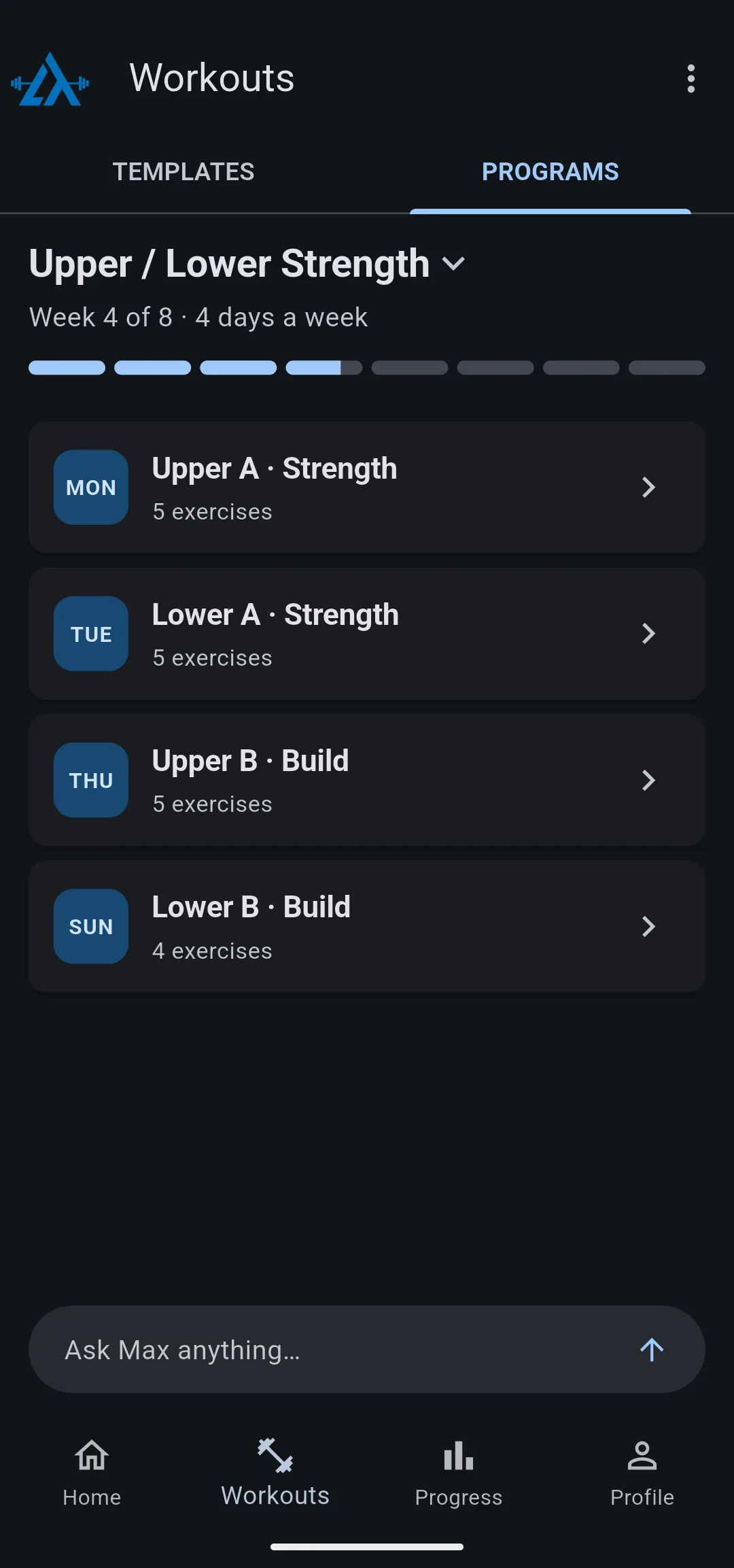
If you start partway through a week, days that have already passed that week are left out. Start the same program on a Wednesday and week 1 begins with Thursday’s workout; Monday’s and Tuesday’s workouts from that week are not scheduled.
When the last week ends, the program is finished and nothing more from it is scheduled. It stays in your saved programs, and every workout you did stays in History.
How does a routine fill your calendar?
A routine places only the next 7 days at a time. You build it on the Routine screen by adding workouts under each day, Monday to Sunday. Each night LiftTrack adds the next day, so the calendar always reaches one week ahead.
A routine with more than one week runs as a cycle. Say Week 1 has Upper A on Monday and Lower A on Thursday, and Week 2 has Upper B and Lower B on the same days. The cycle moves to the next week every Monday, and after Week 2 it starts again at Week 1.
Set as current week in a week’s menu chooses which week of the cycle is running now.
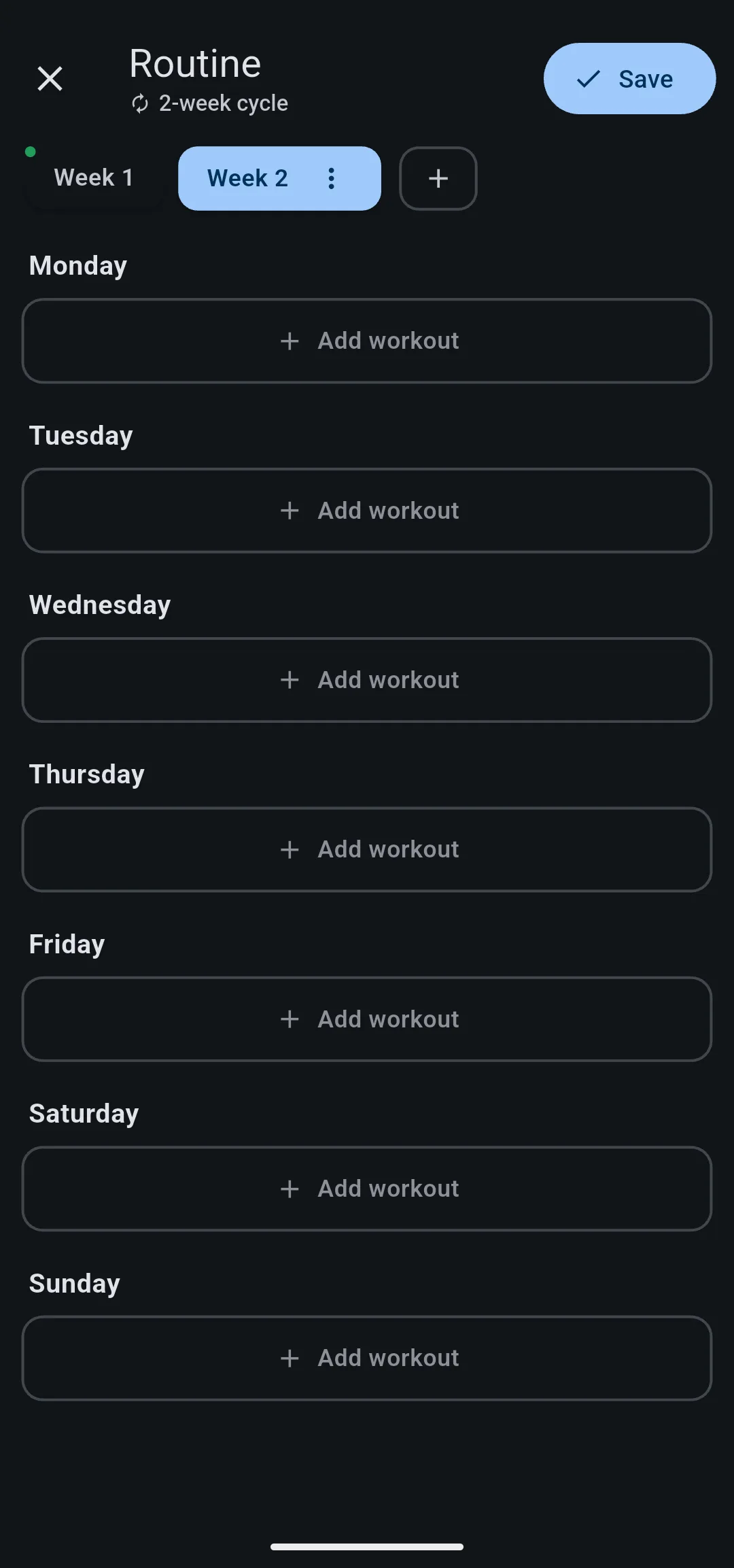
When you tap Save, the next 7 days update to match. Because only 7 days are placed, looking two or three weeks ahead on the Home tab shows no routine workouts yet. They appear as those days come within a week.
Why does a program schedule everything at once?
A program is a plan with a fixed shape: week 5 comes after week 4, and the last week is known on day one. Dating every workout up front lets LiftTrack show where you are, such as Week 4 of 8, and lets you move the dates of the remaining workouts as a block. Pausing a program moves or skips the workouts that fall during your break, and rescheduling program workouts moves single workouts to other days.
A routine has no last week, so there is nothing to date in advance. Keeping only 7 days means a saved change replaces one week of dates, not months of them, and the new days take over from the next day LiftTrack adds. The trade off is that a routine cannot be paused or moved as a whole; you edit the days on the Routine screen instead.
Can you follow a program and a routine at the same time?
Yes. Starting a program does not change your routine, and the Home tab shows workouts from both, together with any workout you scheduled once. On a day where both have a workout, both appear.
To avoid doubling up, clear the routine days that a program covers. Only workouts you scheduled once can be removed one at a time from the Home tab; program and routine workouts are changed through the program or the Routine screen.
Only one program runs at a time. Starting a second one opens Switch programs?, and finishing the current program removes its remaining workouts from your calendar. The saved program and your History stay.
What happens on your Garmin?
With your Garmin connected, every scheduled workout goes on your Garmin Connect calendar on its date, whether it comes from a program, the routine or a one time schedule. A program’s workouts go on for the whole run at once, and the routine’s go on 7 days ahead, the same as in the app. To see how workouts reach your watch and come back, read how Garmin sync works.
What you can change
- Start a program: choose a coach built program, its training days and its start date.
- Build your program with AI: have Max create a program from your coach profile.
- Schedule your workouts: set up a weekly routine or schedule a workout once.
- Pause and resume a program: take a break and keep your place.
- Reschedule program workouts: move single workouts to other days.
- Switch to another program: finish one program and start the next.


