Switch to another program
Replace the program you are following with another one from the Programs screen; LiftTrack finishes the old program and schedules the new one.
On this page
LiftTrack runs one program at a time, so starting a new one finishes the one you are on. Your past sessions stay in History either way.
Before you start
- Premium. Starting any program needs it.
- The days of the week you want to train on in the new program.
Choose the new program
WorkoutsProgramsprogram name- On the Workouts tab, tap Programs, then tap the name of your current program. The Programs sheet opens with every program you have saved, each with its state, such as Active, Paused or Not started.
- Choose where the new program comes from:
- A program you already have: tap it in the list. It opens on the Programs screen with Start program under its name.
- A coach built program: tap Explore Programs, then tap a program to open its preview. To browse the list, see how to start a program.
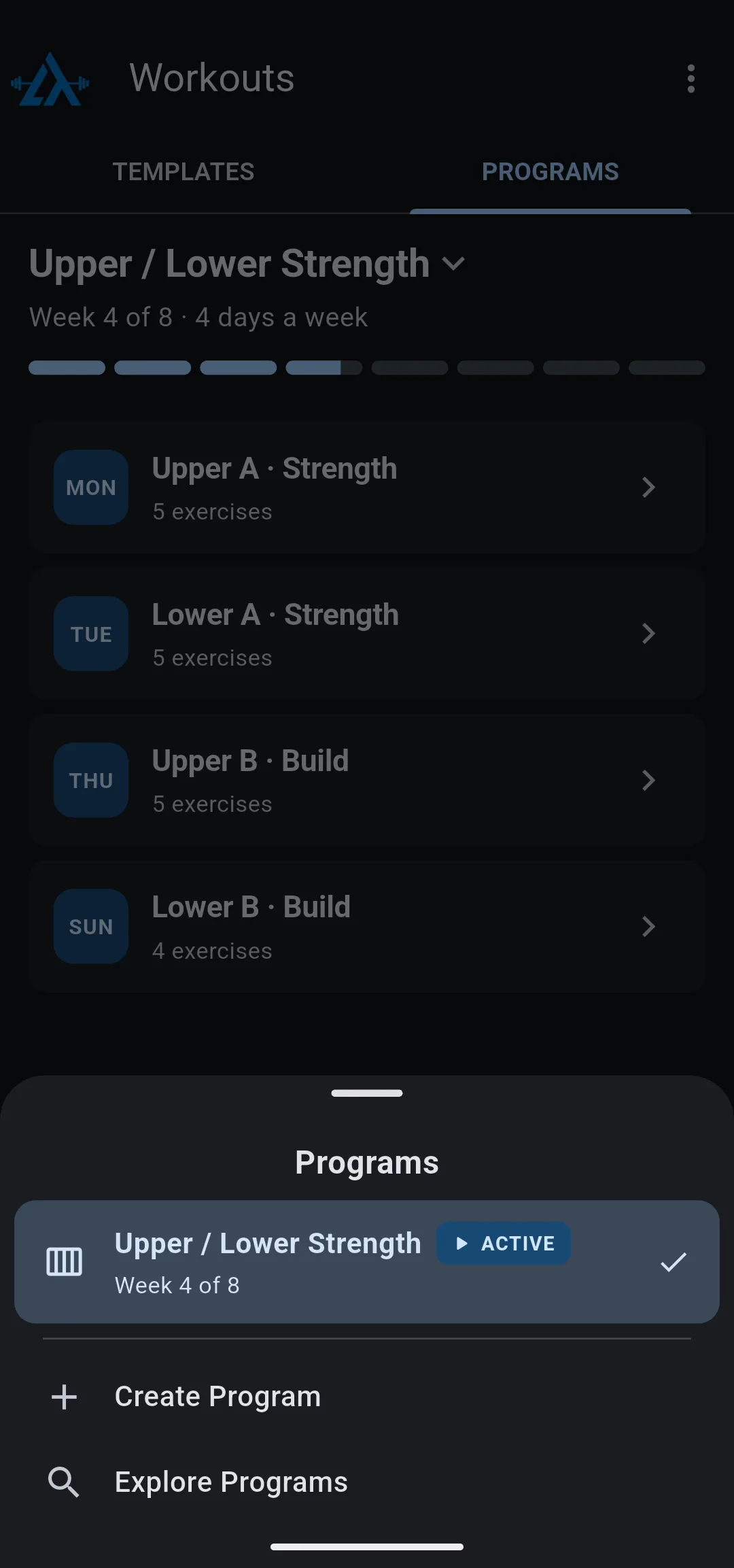
Start it and finish the old one
- Tap Start program. The Start sheet for the new program opens.
- Under Training Days, choose as many days as the program has workouts each week.
- Under Start Date, tap Today, Tomorrow or Next Monday, or tap the date row to choose another day.
- Tap Start Program. The Switch programs? sheet opens with your current program under Current and the new one under New.
- Tap Finish & Start followed by the new program’s name. To stay on your current program instead, tap Keep followed by its name.
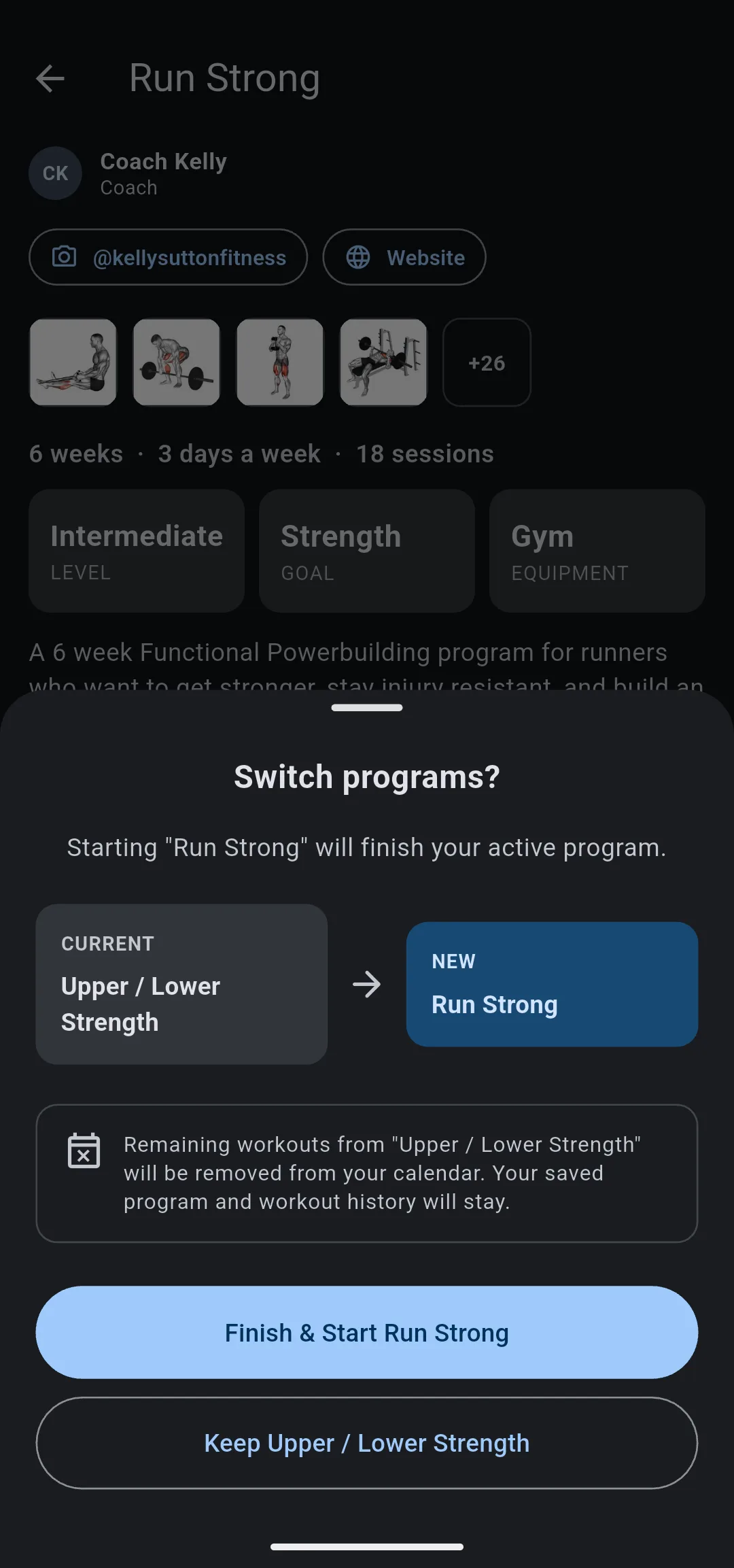
LiftTrack confirms that the new program started. The Programs screen now shows the new program with its workouts on your training days, and the Home tab shows each one from the start date.
What happens to the old program
- The old program’s remaining workouts come off your calendar.
- The workouts you already did stay in History.
- The program stays saved. It shows as Not started in the Programs sheet, and tapping Start program on it later starts it again from week 1.
To take a break without losing your place, pause the program instead of switching. To move a few workouts to other days, reschedule program workouts.
If you create a program while another is running
On the Programs sheet, Create Program builds a new program from your coach profile but keeps the one you are following. The last step of the build reads Current program kept. To switch, open the new program from the Programs sheet and tap Start program.
For the build itself, see how to build your program with AI.


