Start a program
Put a coach built program on your calendar, with every workout scheduled on your training days, by choosing it in Explore Programs. About 5 minutes.
On this page
You start on an empty Programs screen and finish with Run Strong, a 6 week program by Coach Kelly, scheduled for Monday, Wednesday and Friday. Pick a different program from the list if another one fits your goal better; the steps are the same.
Before you start
- Premium. Anyone can browse and preview programs; starting one needs Premium.
- The days of the week you can train. Run Strong has 3 workouts a week.
- Optional: a Garmin watch connected to LiftTrack, if you want each scheduled workout on your watch.
Open Explore Programs
- Open the Workouts tab and tap Programs. With no program yet, it reads Start a program and offers Create Program and Explore Programs.
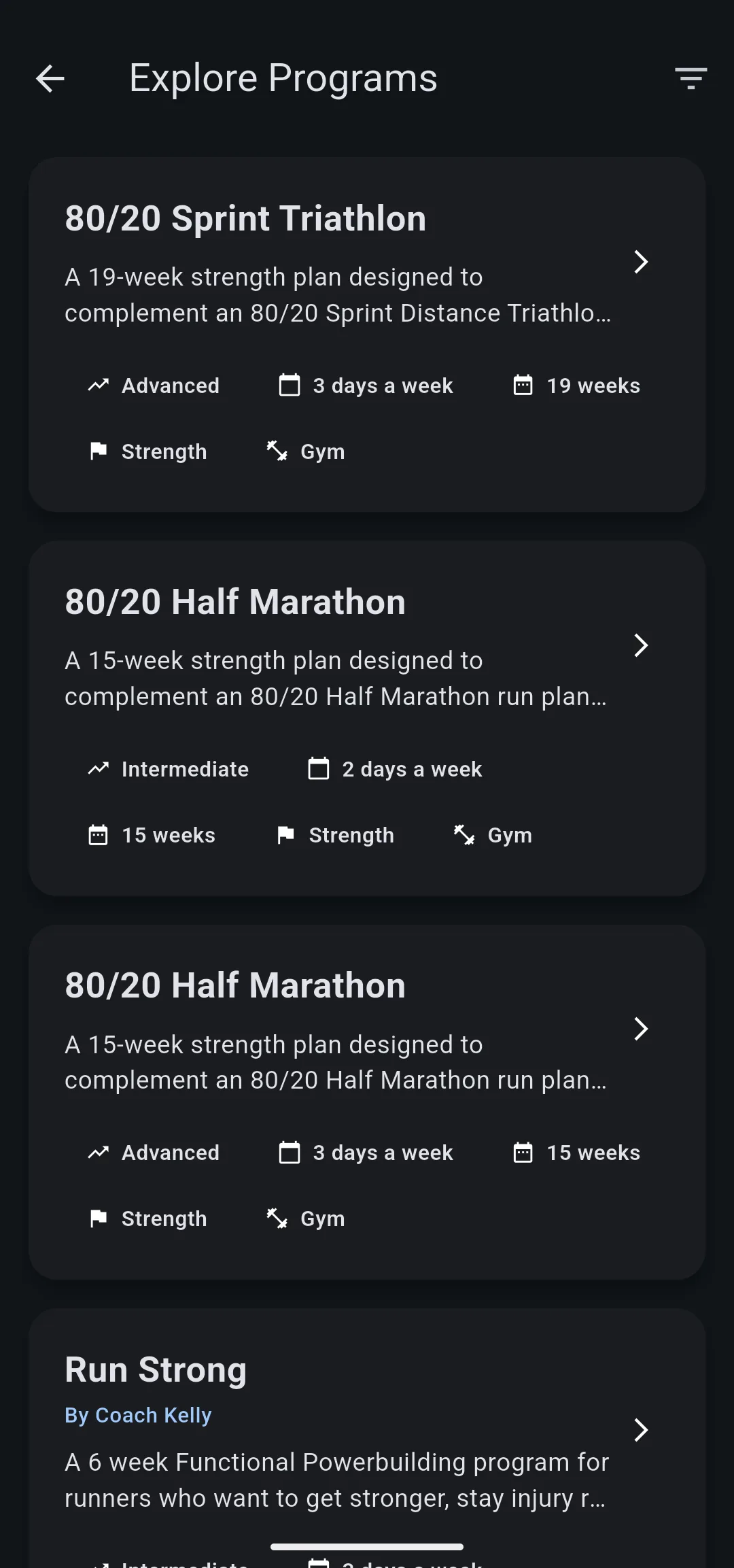
- Tap Explore Programs. The Explore Programs list opens. Each card shows the program’s level, days a week, length in weeks, goal and equipment.
- Optional: tap the filter icon, choose a Difficulty, Goal, Equipment or Days per week, then tap the button that shows how many programs match.
Preview the program
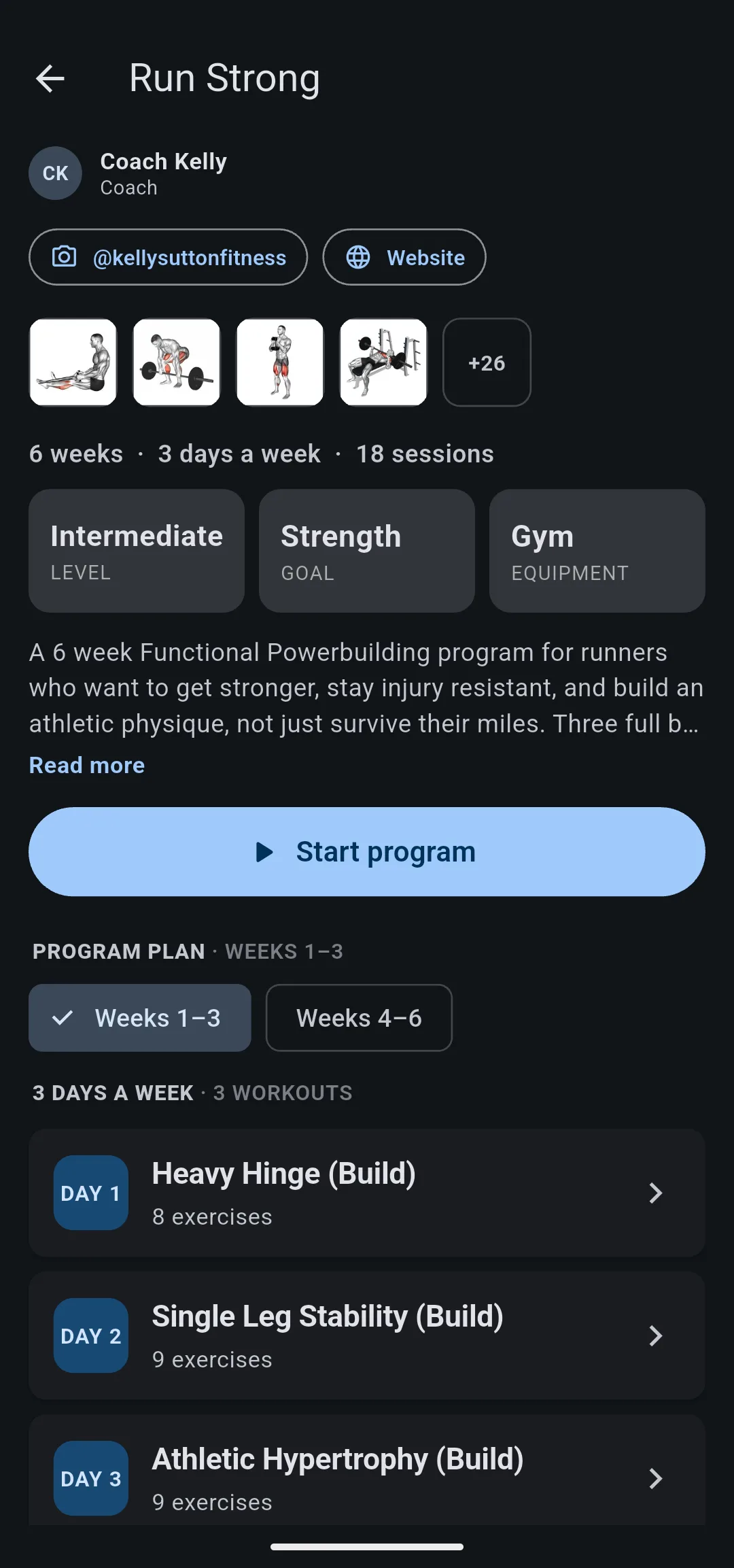
- Scroll to Run Strong and tap it. The program’s preview opens with Coach Kelly at the top.
- Read the summary line: 6 weeks · 3 days a week · 18 sessions. Below it are the level, goal and equipment.
- Scroll to Program Plan. Run Strong lists Heavy Hinge (Build), Single Leg Stability (Build) and Athletic Hypertrophy (Build) as Day 1 to Day 3. Tap Weeks 4–6 to see the workouts for the second half.
- Optional: tap a workout to see its exercises and sets, then go back.
Choose your days and start date
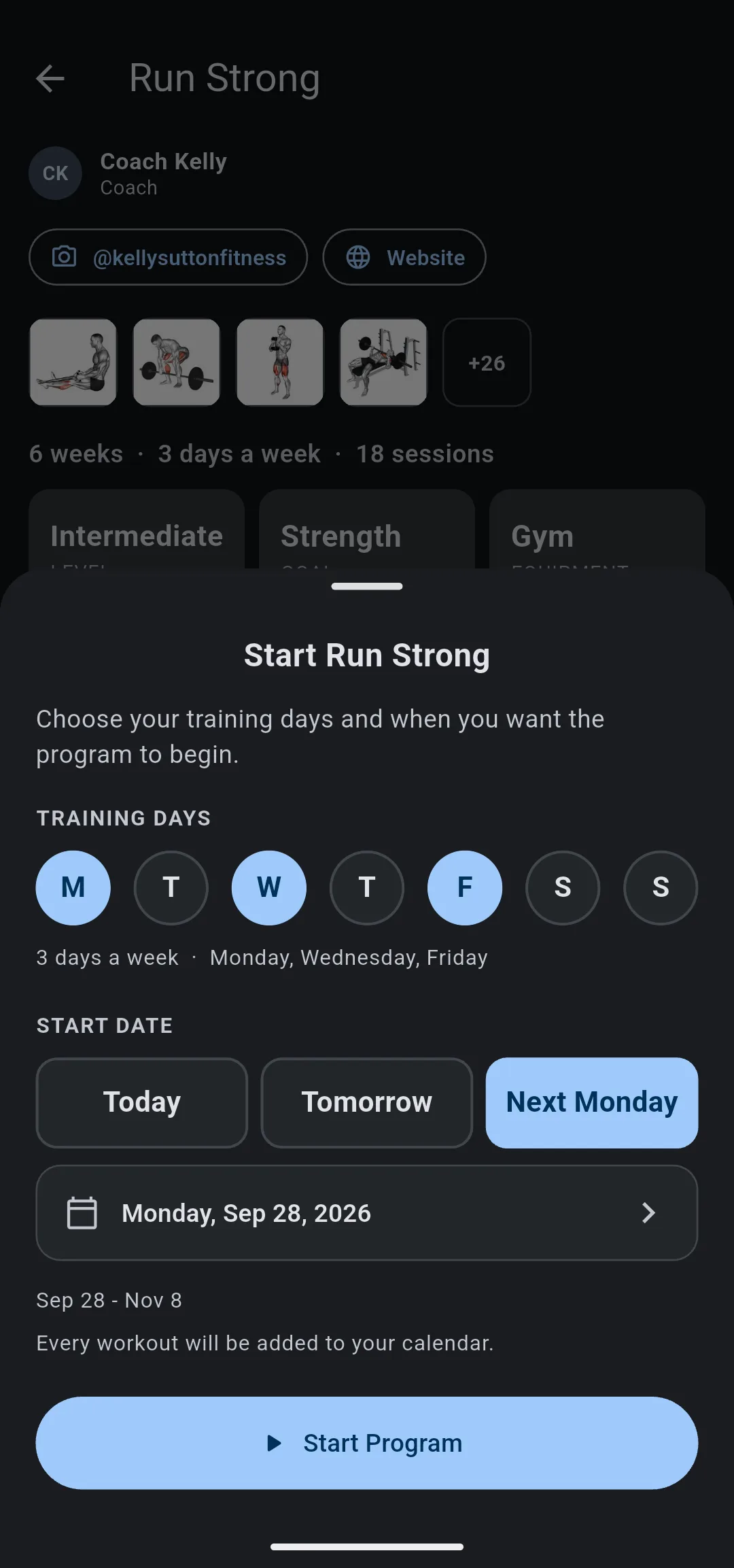
- Tap Start program. The Start Run Strong sheet opens. Without Premium, the button shows a lock and opens the Premium offer first.
- Under Training Days, LiftTrack has already chosen M, W and F. To train on other days, tap a chosen day to clear it and tap the day you want. The line under the days reads 3 days a week · Monday, Wednesday, Friday when the count is right.
- Under Start Date, tap Next Monday. The date row and the date range under it update to match: 6 weeks from Monday.
- Tap Start Program. LiftTrack shows “Run Strong” started. and returns to the Programs screen.
Start Program stays unavailable until you choose exactly as many days as the program has workouts each week. You can choose any start date from today to a year ahead with the date row.
Check your schedule
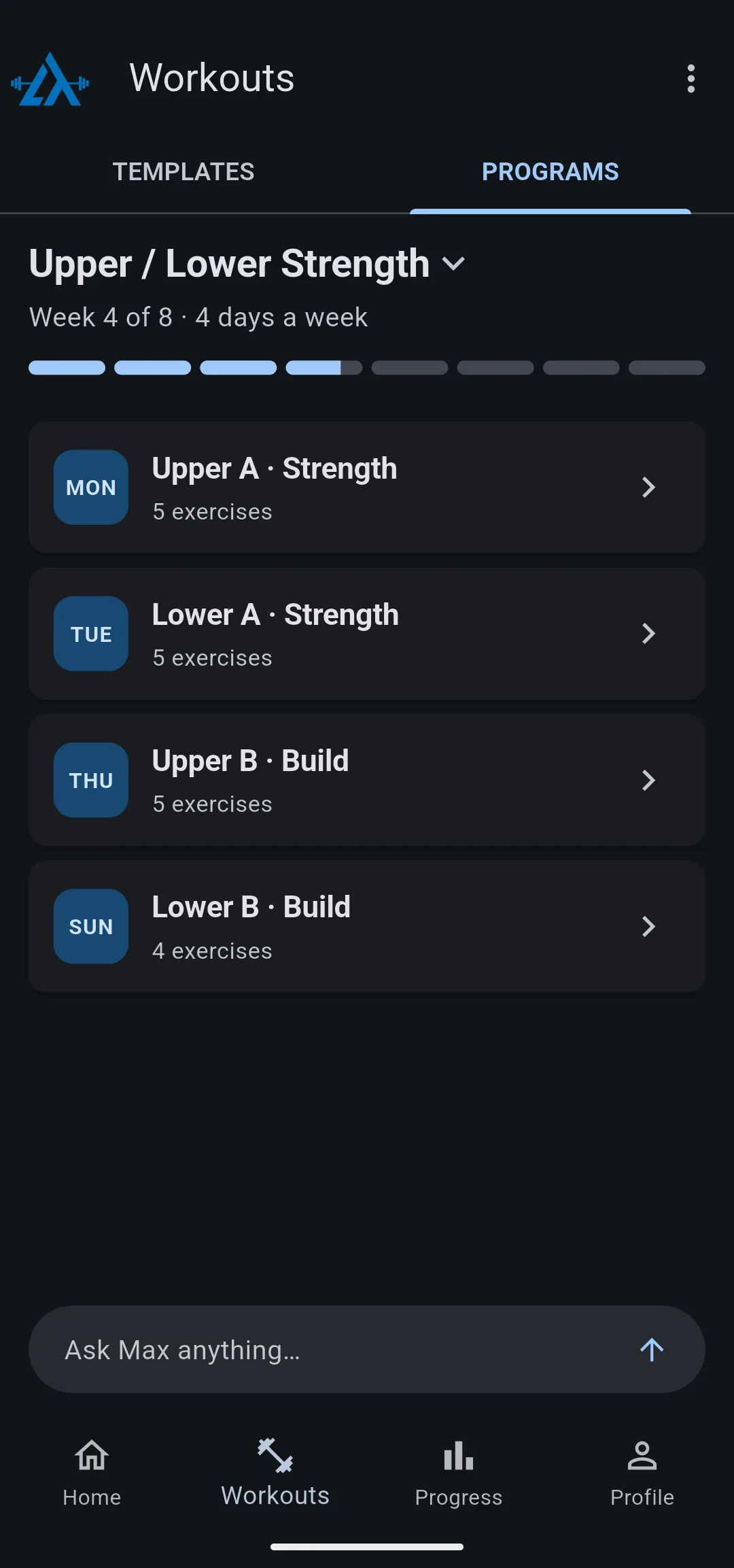
- On the Programs screen, the program name now has Week 1 of 6 · 3 days a week under it and a strip that fills in as the weeks pass.
- Each workout of the current week is listed with its day, such as MON, WED and FRI.
- Open the Home tab. Each program workout appears on its day, starting next Monday.
You now have a program on your calendar for the next 6 weeks. Every workout is already built, so on a training day you open it and lift. To move a single workout to another day, see how to schedule your workouts.
Take it to the gym
- Track it on your phone: on the Programs screen or the Home tab, tap the day’s workout, then tap Track. Check off each set as you finish it.
- Send it to your Garmin: with your watch connected, each scheduled program workout goes to your Garmin Connect calendar and reaches your watch when it syncs. See how to send a workout to your watch.
Other ways to follow a program
- Create your own: on the Programs screen, tap Create Program. LiftTrack builds a program from your coach profile, the training days and program length you choose. This needs Premium. Build your program with AI
- Build workouts one at a time: make your own workouts and repeat them on a weekly routine. Get your workouts into LiftTrack


