Organize workouts into folders
Group your saved workouts into folders on the Workouts tab, move workouts between them, and rename or delete a folder when your plan changes.
On this page
Folders live on the Templates side of the Workouts tab. Every workout you save starts in My Workouts unless you choose another folder, and workouts inside a folder are listed by name, A to Z.
Tap Workouts, then Templates.
Create a folder
- On the Workouts tab, tap Templates.
- Tap the New folder icon, a folder with a plus sign. The Create New Folder dialog opens.
- Enter a name, then tap Create.
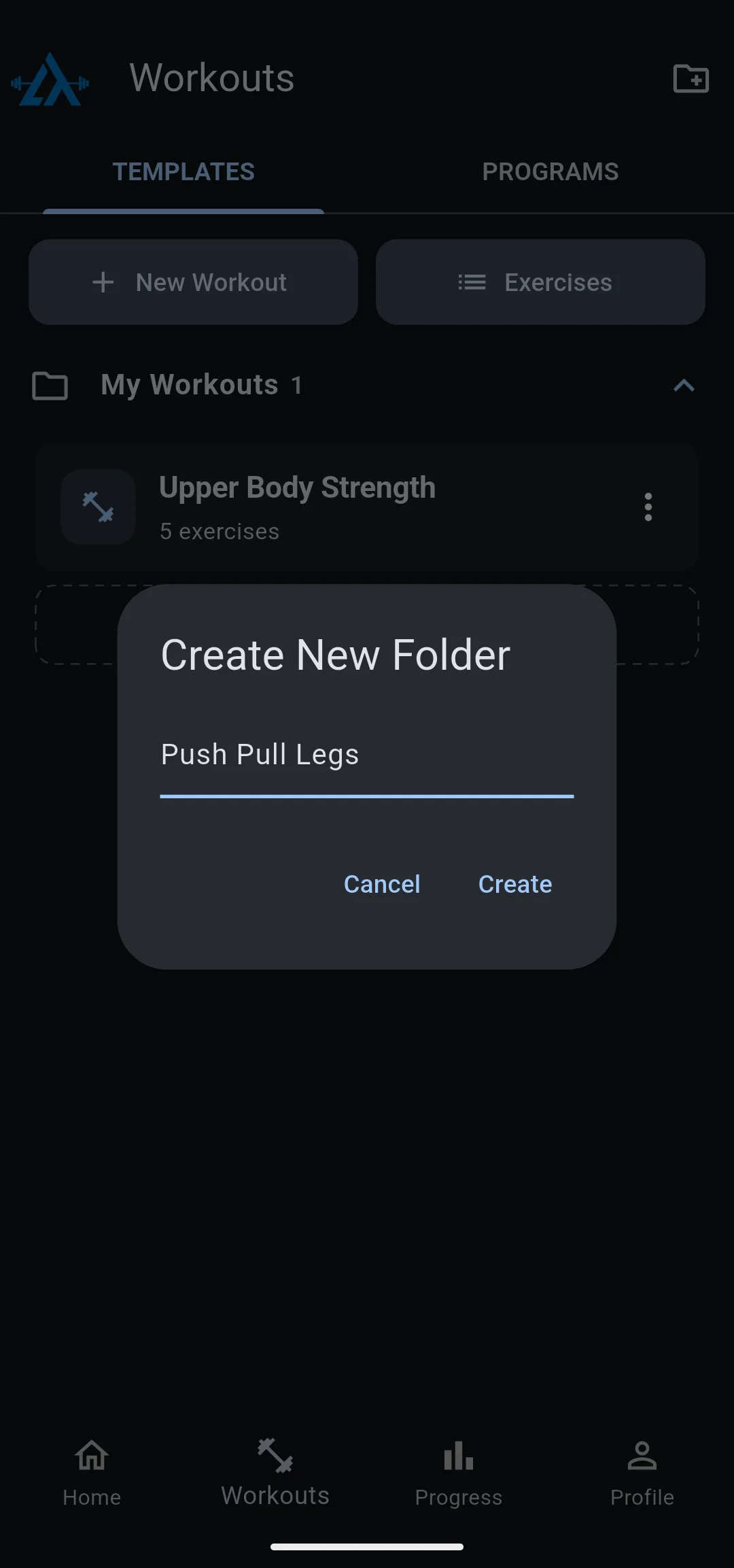
The new folder shows in the list with its workout count, starting at 0.
Put a new workout in a folder
To build a workout straight into a folder, open the folder and tap its dashed New Workout row. The workout editor opens, and the workout saves into that folder.
If you tap the New Workout button instead of a folder’s row, and you have more than one folder, LiftTrack asks you to choose one in Select Folder first. For the rest of the steps, see how to build a workout.
Move a workout to another folder
- On the Workouts tab, tap the More options icon on the workout.
- Tap Move to folder.
- Choose the folder. The list shows every folder except the one the workout is in now, My Workouts included.
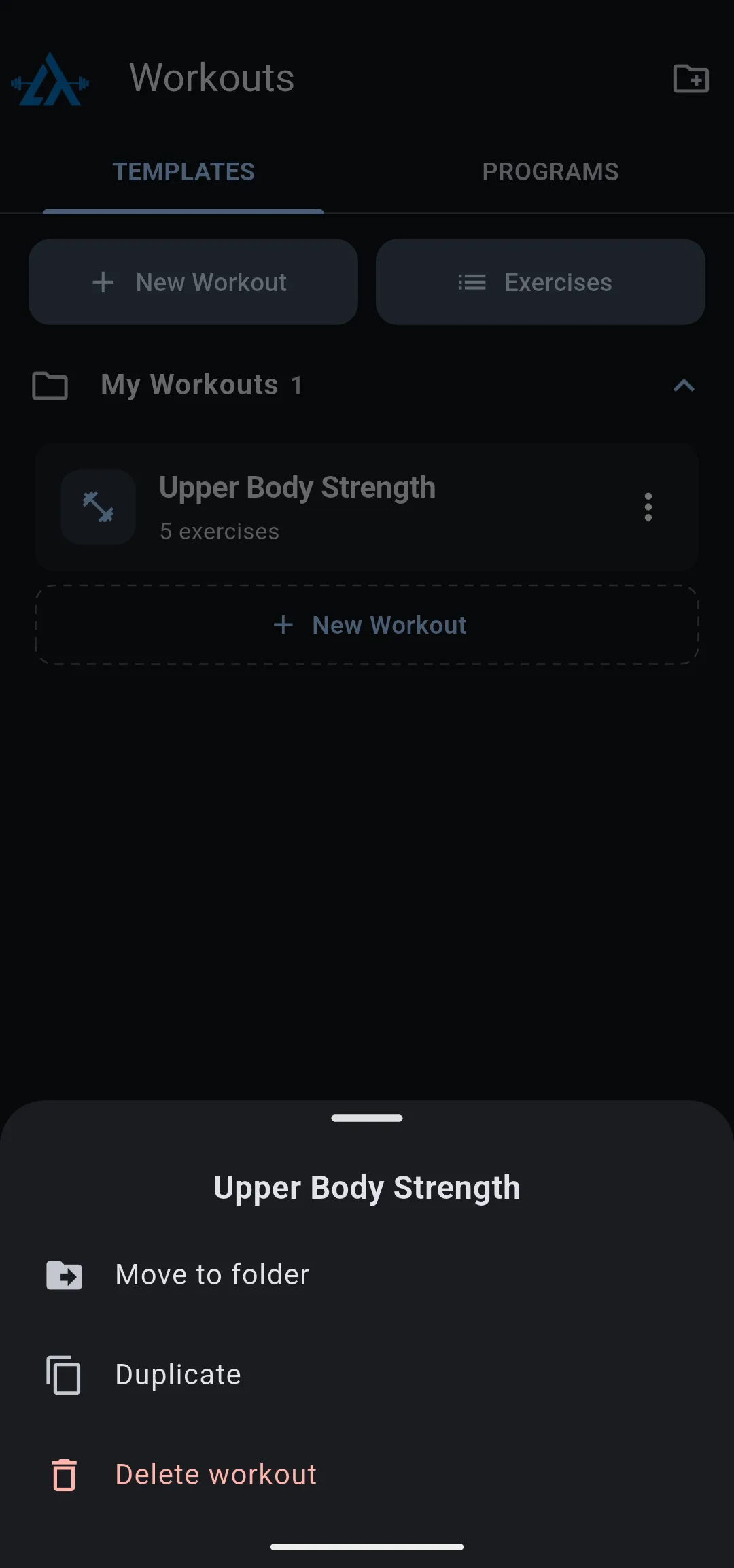
To move a workout by dragging, touch and hold the workout, then drag it onto another folder and let go. The folder highlights while the workout is over it.
The workout shows in its new folder, and the count next to each folder name updates.
Rename a folder
- Tap the menu icon on the folder.
- Tap Edit Name.
- Enter the new name, then tap Save.
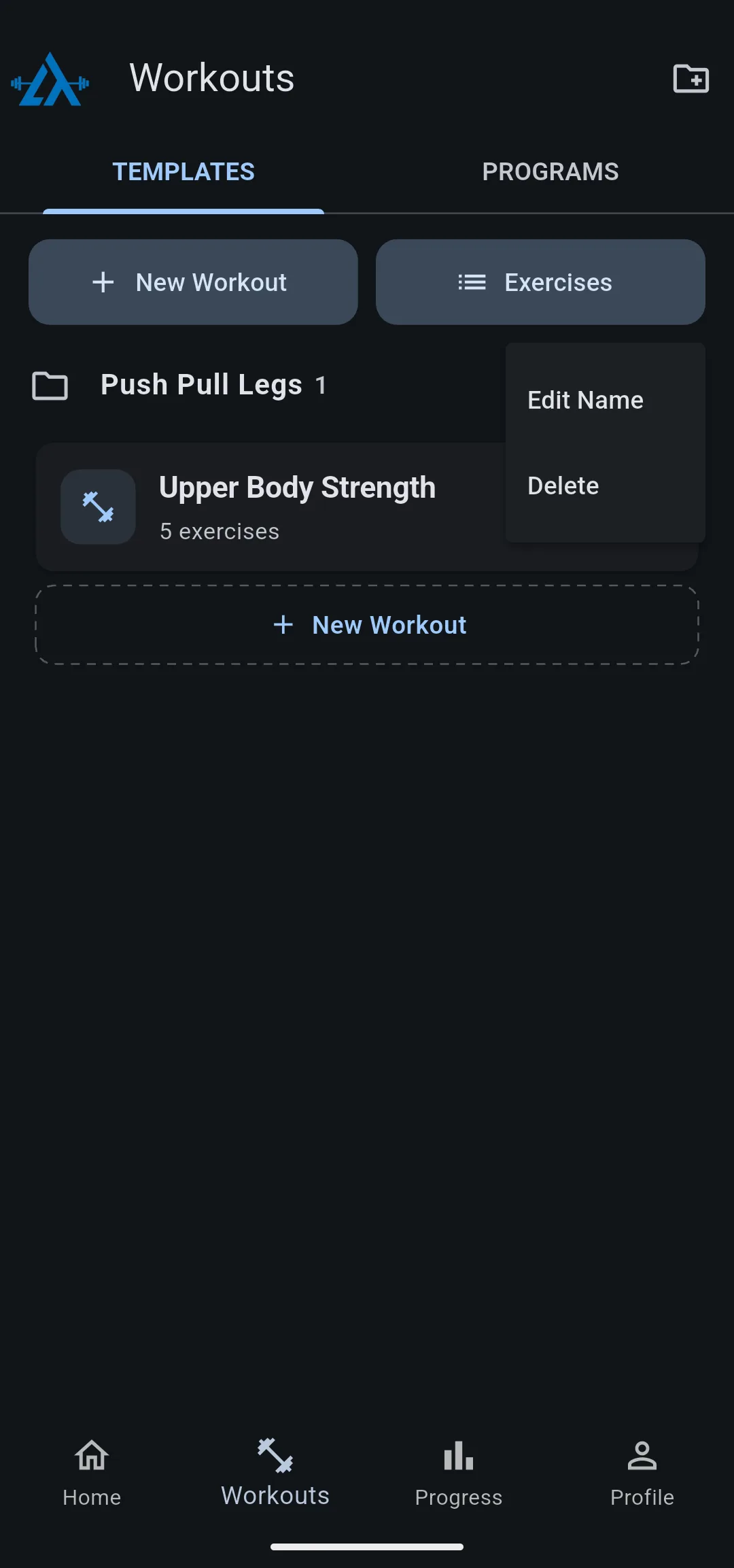
My Workouts has no menu icon: it can’t be renamed or deleted.
Delete a folder
- Tap the menu icon on the folder.
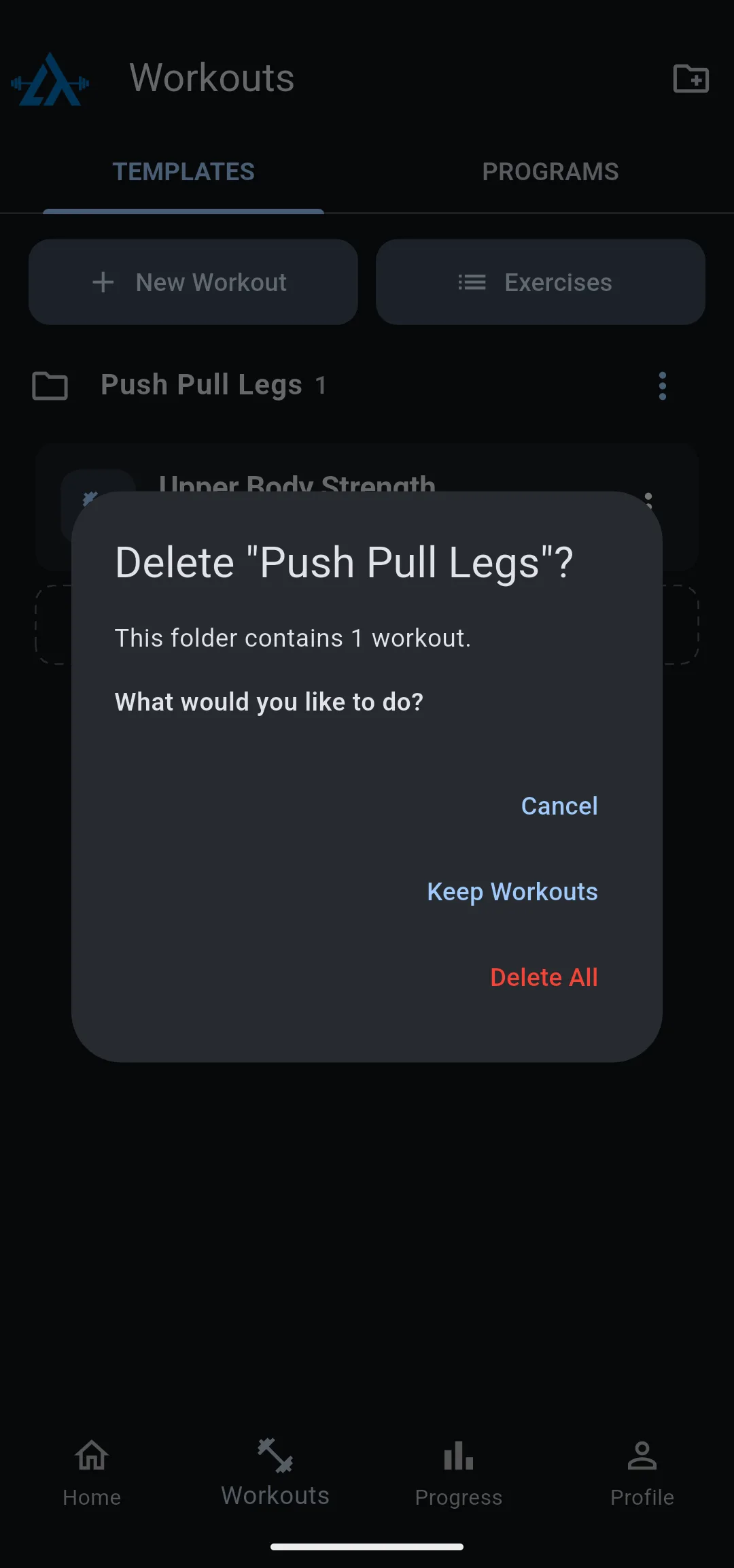
- Tap Delete. The dialog says how many workouts the folder holds.
- Choose what happens to those workouts:
- Keep Workouts deletes the folder and moves its workouts to My Workouts.
- Delete All deletes the folder and every workout in it.
Warning: Delete All deletes the saved workouts in the folder, and they can’t be restored.
An empty folder offers Delete Folder instead. A message confirms the folder is gone, and My Workouts stays hidden from the list while it has no workouts in it.


