Export your workouts to CSV
Export every session in your History to a CSV file from the Profile tab, with one row per set, ready to open in Sheets or Excel.
On this page
The export includes every session, from your watch and from your phone, with one row for each set you did. Nothing in LiftTrack changes when you export.
Before you start
- A session in your History. If a set is wrong, edit the completed workout first, because the export copies your sets as they are saved.
Export the file
- On the Profile tab, scroll to App & Data.
- Tap Export Activities to CSV. A spinner shows on the row while LiftTrack builds the file, then your phone’s share sheet opens.
- Choose where the file goes: save it to your files or a cloud drive, or send it by email or message.
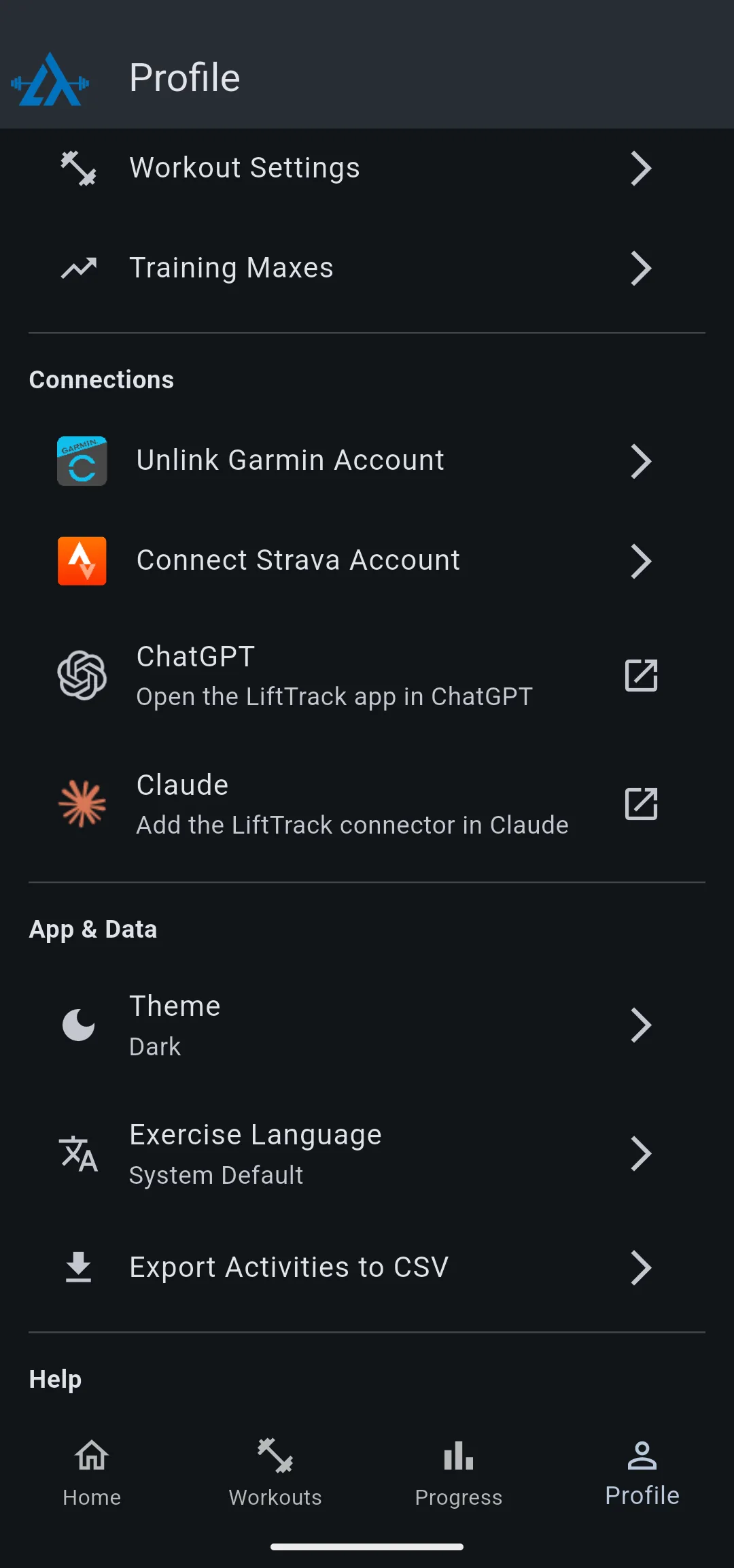
The file is named lifttrack_export_ followed by today’s date, for example lifttrack_export_2026-09-26.csv. When you send it by email, the subject reads LiftTrack Activity Export.
If your History is empty, the app shows No activities to export and no file is made.
What the file contains
Each row is one set, newest session first. Warmup sets are included and marked in the set_type column. Weights use the Weight unit and Weight rounding you chose in Profile > Workout Settings.
| Column | What it holds |
|---|---|
date, time | The day and start time of the session |
workout_name | The session’s name, as shown in History |
workout_duration_min | The length of the session, in seconds |
exercise_name, exercise_category | The exercise’s Garmin identifiers, in English; custom exercises show LIFTTRACK and a number |
exercise_display_name | The exercise name as LiftTrack shows it, in your exercise language |
exercise_order | The exercise’s order number saved with the session |
superset | The superset group, blank when the exercise was not in a superset |
set_number | The set’s position within the exercise, starting at 1 |
set_type | WORKING or WARMUP |
target_type | REPS for rep based sets, TIME for timed sets |
reps, weight, unit | Reps done, weight used, and kg or lb |
duration_sec | The time of a timed set, in seconds |
rpe | The RPE you logged, blank if none |
Open the file in Google Sheets, Excel or Numbers. Each column heading sits in the first row, so the sheet can filter and chart by exercise, date or weight straight away.


