Skip an exercise on your Garmin watch
Skip an exercise on your Garmin strength workout when the equipment is taken, then come back to it later with every set still counted in LiftTrack.
On this page
Your watch skips a whole exercise in one go only when its sets arrive as one group. How you enter the sets in LiftTrack decides that, so check the workout before you train.
Before you start
- A LiftTrack workout on your watch. To send one, see send your LiftTrack workouts to your Garmin watch.
Set up an exercise to skip as one group
LiftTrack sends back to back sets with the same weight, reps (or time) and RPE as one block that repeats. The watch treats that block as one group, so one skip covers every set in it. Sets that differ, like a pyramid of 10, 8 and 6 reps, each go to the watch as a separate step.
- On the Workouts tab, tap the workout, then tap Edit.
- On the exercise’s card, give each working set the same weight, reps and RPE.
- Tap Save. LiftTrack sends the new version to Garmin Connect.
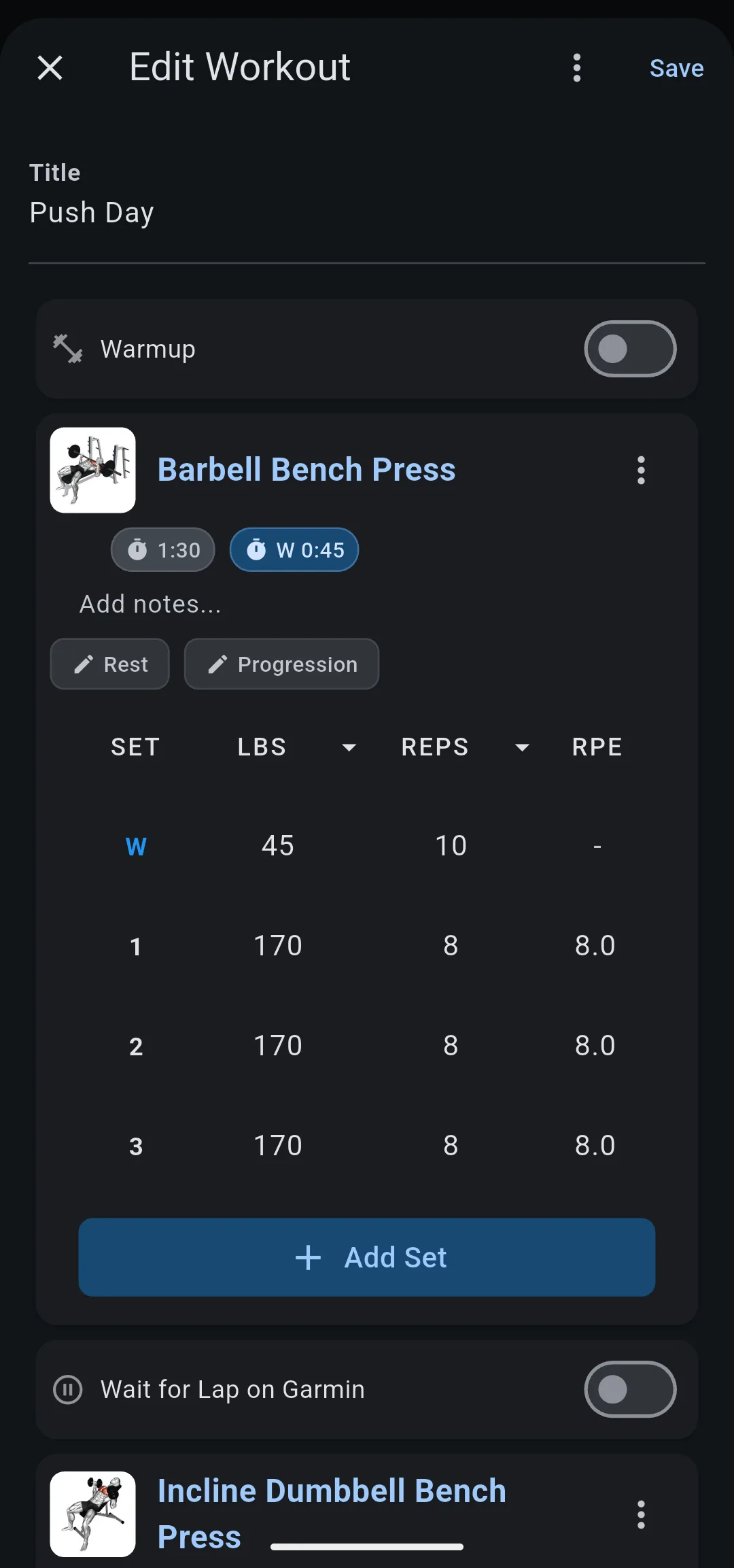
Warmup sets always go to the watch as their own steps, ahead of the group, so a skip of the group leaves them in place.
In a superset, rounds that match go to the watch as one block, so one skip covers every exercise in the superset.
Check the groups before you train
- On the workout screen, tap Garmin.
- On the Garmin sheet, tap Preview on watch.
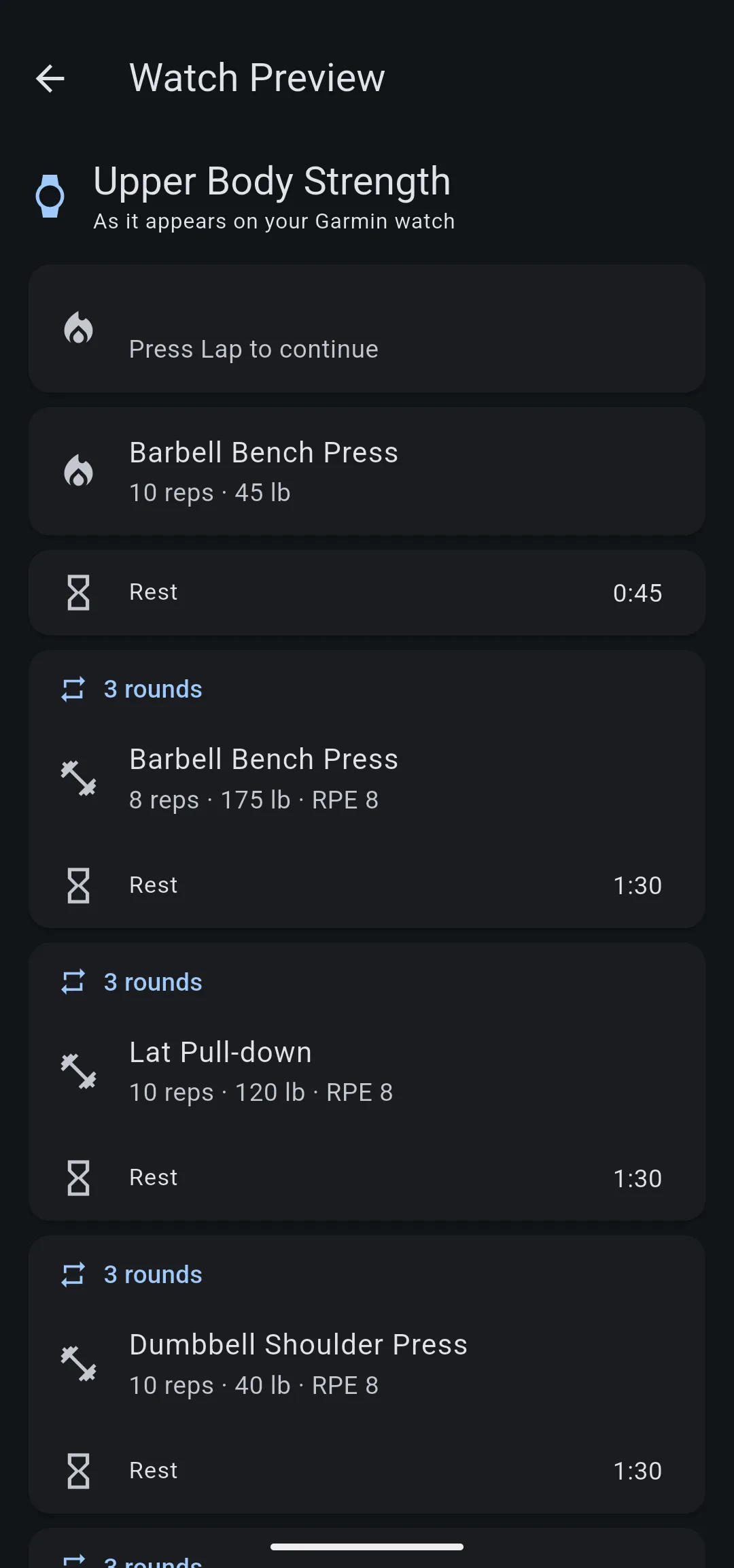
The Watch Preview screen shows each group as a card headed with its number of rounds, such as 3 rounds, with the exercise and its rest inside. An exercise listed step by step, with no rounds heading, has sets that differ.
Skip the exercise on your watch
Skipping happens in Garmin’s strength app, so the controls vary by model. Garmin’s fēnix 8 manual shows where a structured workout keeps its skip options on that watch.
- With the workout running, on the exercise you want to skip, scroll to the last data screen and open the menu at its bottom.
- Choose Skip Group. The watch moves to the next group.
If your watch skips one set at a time, skip each round of the exercise the same way.
Come back to a skipped exercise
- When the equipment is free, open the same menu and choose View Skipped.
- Choose the exercise. The watch takes you back to its sets.
LiftTrack matches every set to the step it belongs to, not to when you did it. Sets you do out of order land under the right exercise in History, next to their targets.
What happens to an exercise you never do
The session comes back without sets for that exercise. Because it has fewer sets than its target, its progression does not add weight or reps, and the next session keeps the same targets.
- Watch Preview shows the exercise you might skip as one card with a rounds heading.
- During the workout, Skip Group moves your watch past every set of that exercise.
- After the session syncs, the sets you came back to sit under their exercise in History.


