What Max, ChatGPT and Claude can do
Max, ChatGPT and Claude all read the same LiftTrack data and can build workouts for you; they differ in where you chat, what it costs and how you approve.
On this page
Max and your AI assistant use the same set of LiftTrack tools, so they see the same workouts, History, programs, schedule and training maxes. Max lives inside LiftTrack and needs Premium; ChatGPT and Claude connect from outside and read your data for free.
What can they see in your LiftTrack account?
Max, ChatGPT and Claude can read everything that shapes your training in LiftTrack:
- Your settings, including kg or lb and your weight rounding
- Your workouts and folders, with every exercise, set, rest and superset
- Your History, with each set you did against its target
- Your training maxes, your schedule and your programs, week by week
- Your weekly training status: workouts done against your goal, sets per muscle against your four week average, and movement patterns you trained or missed
- Your coaching profile, and the full exercise catalog including your custom exercises
Ask “How is my bench press going?” and the answer comes from your own sessions. The tool returns each session’s sets, volume, estimated one rep max and heaviest set. Max or your assistant can then say “you did 185 lb for 5 on Monday, up from 175 lb three weeks ago” instead of giving general advice.
Neither one sees data that is not in LiftTrack. A session you recorded on your Garmin without a LiftTrack workout counts only after it is in your History.
What can they change?
Max, ChatGPT and Claude can make four changes, and each one needs Premium:
- Create a workout. It lands on your Workouts tab like one you built yourself. If your Garmin is connected, LiftTrack sends it to your watch the same way as any new workout.
- Edit a workout. Change exercises, sets, loads, rest or the name. The folder stays the same.
- Set a training max. Changing a training max recalculates every workout that loads that exercise as a percentage of it. Raise a bench press training max from 200 lb to 210 lb, and a set at 75% goes from 150 lb to 157.5 lb, rounded to your weight rounding.
- Delete a workout. Deletion is permanent and also removes the workout from your schedule and your watch. App default workouts cannot be deleted.
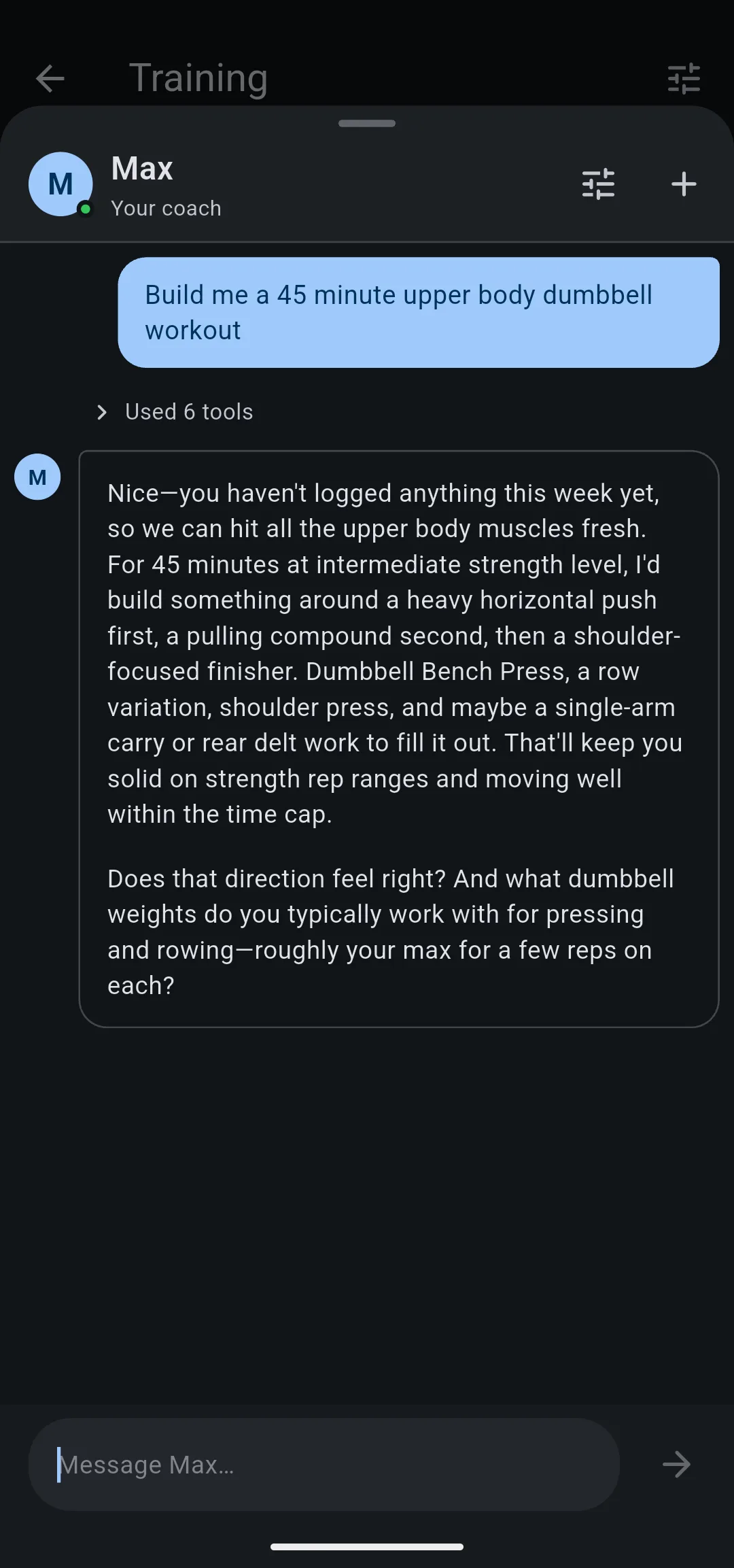
Before any change, Max or your assistant describes it and waits for you to agree. Every exercise name is checked against the catalog first, so a workout never arrives with an exercise LiftTrack does not know.
How is approving a change different in Max?
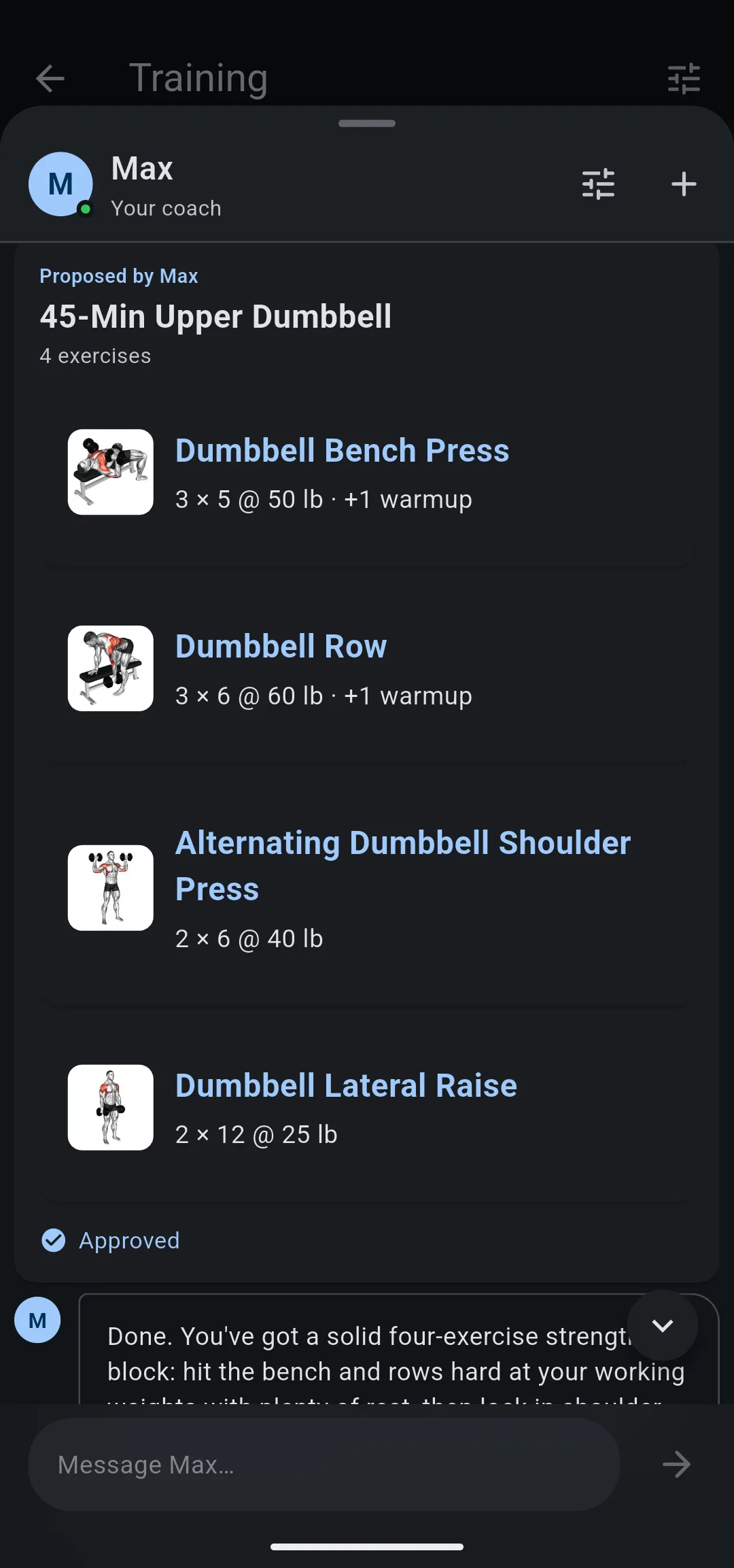
In Max, a new workout arrives as a card headed Proposed by Max with every exercise, set and load listed. Tap Approve to save it or Reject to send Max back to revise it. ChatGPT and Claude have no card: they write the workout out in the chat and ask you to confirm in words.
What can only Max do?
Max has three things an outside assistant does not:
- Your coaching profile on every message. Max reads your saved goals, schedule, equipment and exercise likes with each message, so he skips the basic questions. ChatGPT and Claude can read the profile too, but only when they look it up.
- The program you are looking at. Open Max from a program and he already has that program, so you can ask about it without naming it.
- Programs built for you. Create Program has Max write a whole program from your coaching profile and put every workout on your calendar. In a chat, neither Max nor an outside assistant creates a program.
Max also has a weekly coaching limit. When you reach it, Max says “You’ve reached this week’s coaching limit. It resets Monday.”
Why use ChatGPT or Claude instead?
ChatGPT and Claude read your LiftTrack data without Premium. That makes them the way to ask questions about your training on the free plan; building or changing anything still needs Premium.
An outside assistant also fits when you already plan the rest of your life there. It can combine your LiftTrack History with a running plan, a meal plan or a calendar you keep in the same chat. The trade off is that it sits outside the app: no approval card, no program from Create Program, and you connect it once before the first chat.
Max and your AI assistant compared
| Max | ChatGPT and Claude | |
|---|---|---|
| Read workouts, History, programs, schedule, training maxes | Yes, with Premium | Yes, free |
| Create, edit or delete a workout | Yes, with Premium | Yes, with Premium |
| Set a training max | Yes, with Premium | Yes, with Premium |
| Build a program | From Create Program | No |
| Log a session to your History | No | No |
| Change your schedule | No | No |
| Start or join a program | No | No |
Max builds a program only from Create Program. To log a session, change your schedule or start a program, use the app.
Choose
Max
if you:
- have Premium
- want to approve each new workout on a card
- want your coaching profile read with every message
- want a whole program built from your profile
Choose
ChatGPT or Claude
if you:
- are on the free plan and want to ask about your training
- plan your running, meals or calendar in the same chat
What you can change
- Ask Max, your coach in LiftTrack: chat with Max and approve the workouts he proposes.
- Connect LiftTrack to your AI assistant: add LiftTrack to ChatGPT, Claude or another assistant.
- Set up your coaching profile: tell Max and your assistant your goal, schedule and equipment.
- Build your program with AI: have Max write a program from your profile.


